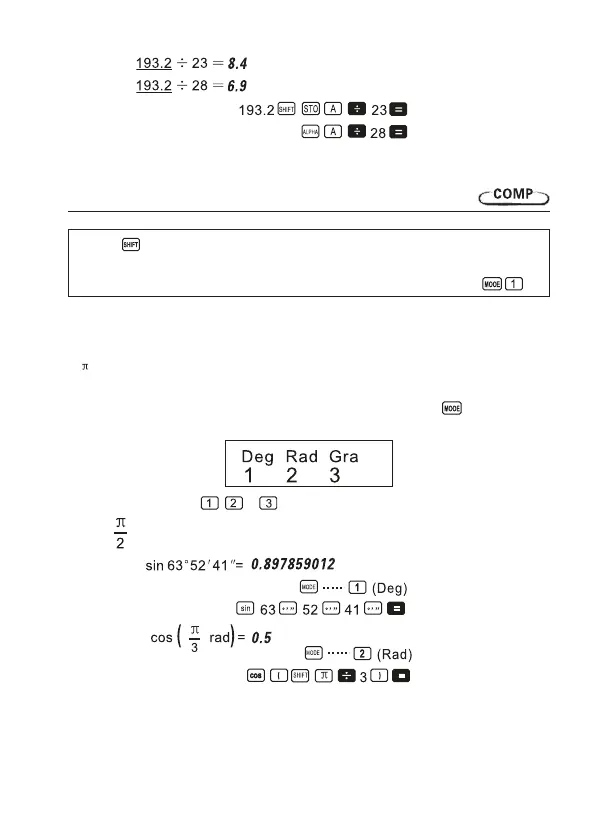
• Example:
9. Scientic function calculations
Use the key to enter the COMP Mode when you want to perform basic arithmetic
calculations.
COMP ....................................................................................................................
• Certain types of calculations may take a long time to complete.
• Waitfortheresulttoappearonthedisplaybeforestartingthenextcalculation.
• =3.14159265359
Trigonometric/Inverse trigonometric functions
• To change the default angle unit (degrees, radians, grads), Press the key a number of
times until you reach the angle unit setup screen shown below.
• Press the number key ( , ,or ) that corresponds to the angle unit you want to use.
(90°= radians= 100 grads)
• Example 1:
• Example 2:
16


 To Next Page