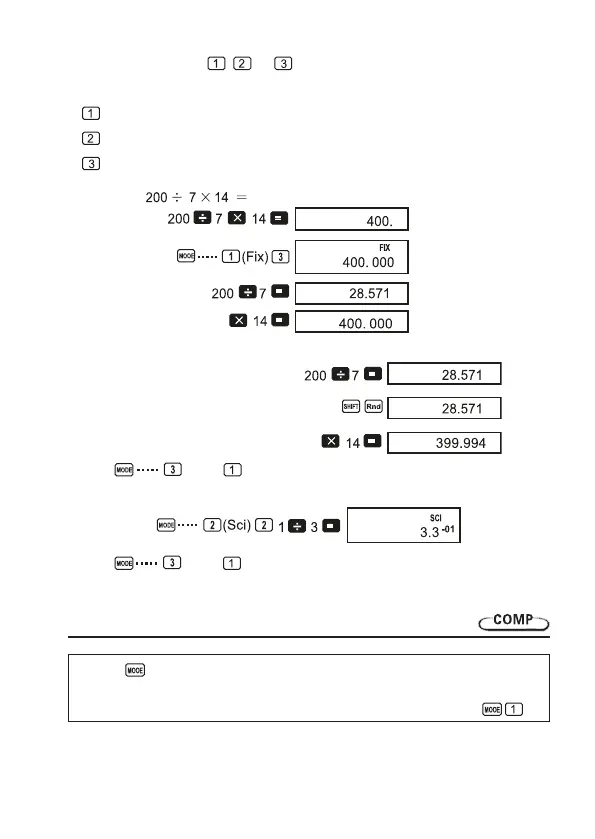
• Press the number key ( , , or ) that corresponds to the setup item you want to
change.
(Fix):
Numberofdecimalplaces
(Sci):
Numberofsignicantdigits
(Norm):
Exponentialdisplayformat
• Example 1:
Thefollowingperformsthesamecalculationusingthespeciednumberofdecimalplaces.
(Internal rounding)
• Press (Norm) tocleartheFixspecica
• Example 2: 1÷3,displayingresultwithtwosignicantdigits(Sci2)
• Press (Norm) tocleartheScispecication.
8. Memory calculations
Usee the key to enter the COMP Mode when you want to perform a calculation using
memory.
COMP ....................................................................................................................
(Internal calculation continues
using 12 digits.)
(Speciesthree
decimal places.)
14


 To Next Page