117
Cube
®
EN
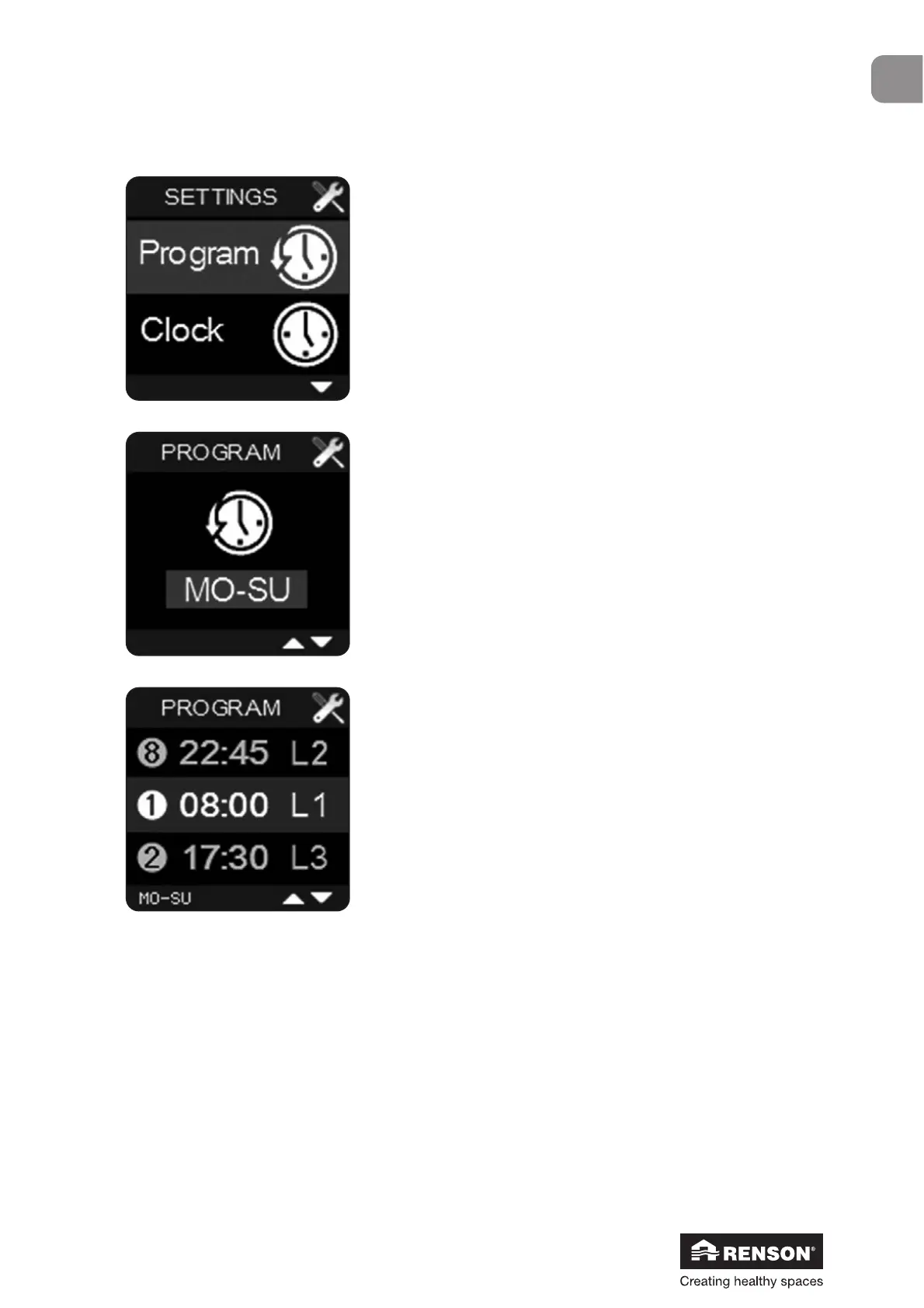
Select ‘Program’ in the User menu and confirm with ■.
Use ▲ and ▼ to choose a specific period. You can choose
between a week, midweek, weekend or any specific day.
Select the desired period and confirm with ■.
Use ▼ and ▲ to go through the different program points in the
selected period.
You can each time change the hour and corresponding
ventilation level by using ▼ and ▲ and confirming with ■.
To leave the User menu ‘Program’ just hold ■ for 3 seconds or simultaneously press ▲ and ▼
for a short time. By performing this action you will go back to the User menu.
9.1.3.2.1 • Program


 To Next Page