118
Cube
®
EN
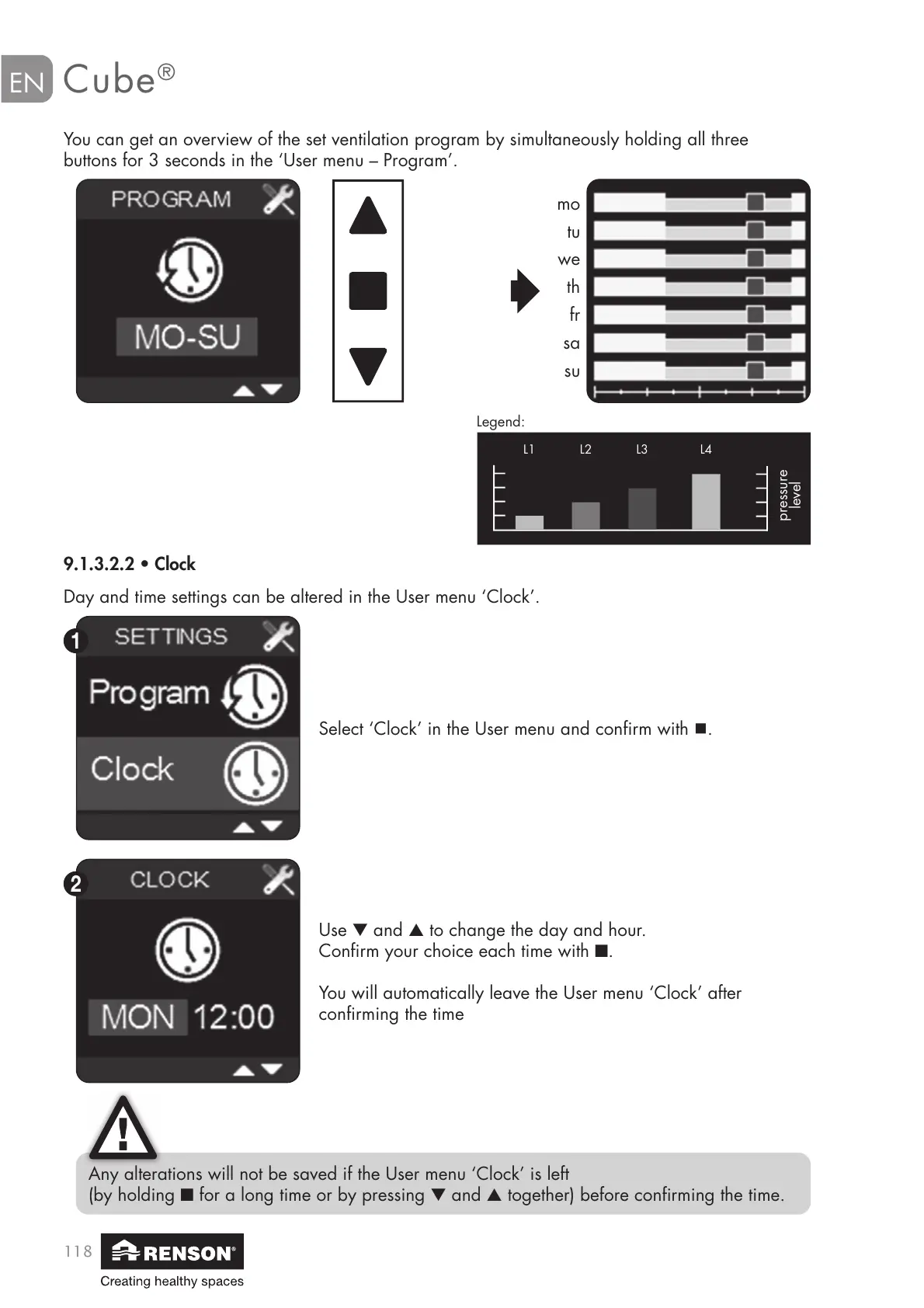
You can get an overview of the set ventilation program by simultaneously holding all three
buttons for 3 seconds in the ‘User menu – Program’.
Day and time settings can be altered in the User menu ‘Clock’.
mo
tu
we
th
fr
sa
su
9.1.3.2.2 • Clock
Select ‘Clock’ in the User menu and confirm with .
Use ▼ and ▲ to change the day and hour.
Confirm your choice each time with ■.
You will automatically leave the User menu ‘Clock’ after
confirming the time
Any alterations will not be saved if the User menu ‘Clock’ is left
(by holding ■ for a long time or by pressing ▼ and ▲ together) before confirming the time.
Legend:
pressure
level
L1 L3L2 L4


 To Next Page