Reolink Wireless Camera
User Manual
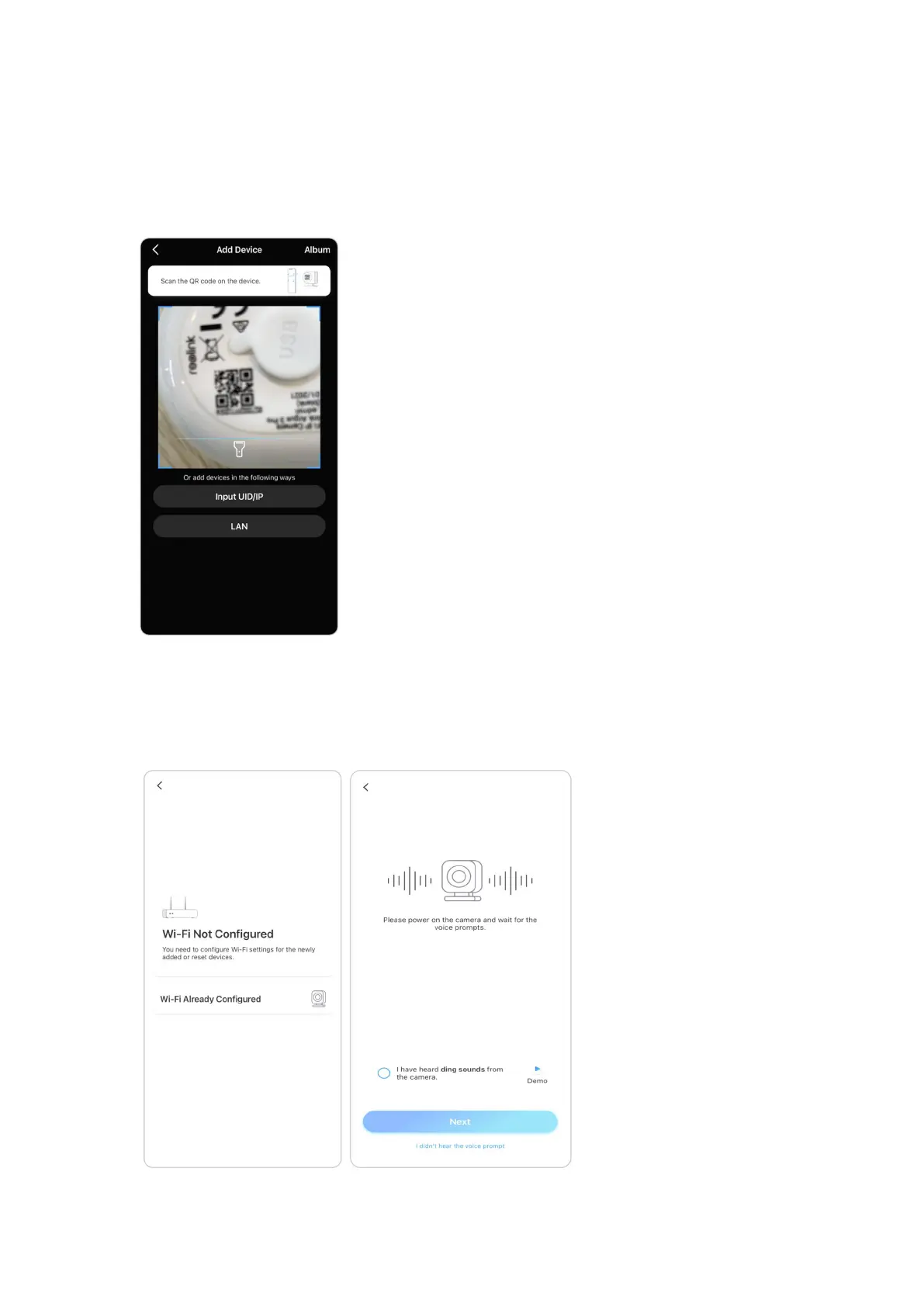
3. Scan the QR code on the back of the camera. If the phone doesn't respond,
please tap Input UID/IP and then manually type in the UID (16-digit characters
under the QR code of the camera).
Note: You may tap Light to enable flash light when setting up in a dark
environment.
4. Select Wi-Fi Not Configured. If you hear the camera speaking “Please run App,
add the camera and set it up” or the ding sounds, please tick “I have heard the
voice prompt from the camera” or “I have heard ding sounds from the camera”,
then tap Next.


 To Next Page
 Loading...