Use Reolink
UID Mode and I P address Mode
UID Mode
Here we have selected UID mode . This mode provides the
option of connecting to your NVR without the working
knowledge of networking to connect over the Internet . The
UID is provided on the sticker located on your NV R , or
from the email you send yourself during the setup wizard.
Use this mode if your N VR is in a different location to your
computer ( e.g. NVR at home , computer at work ) For
stream type select “Sub Stream”
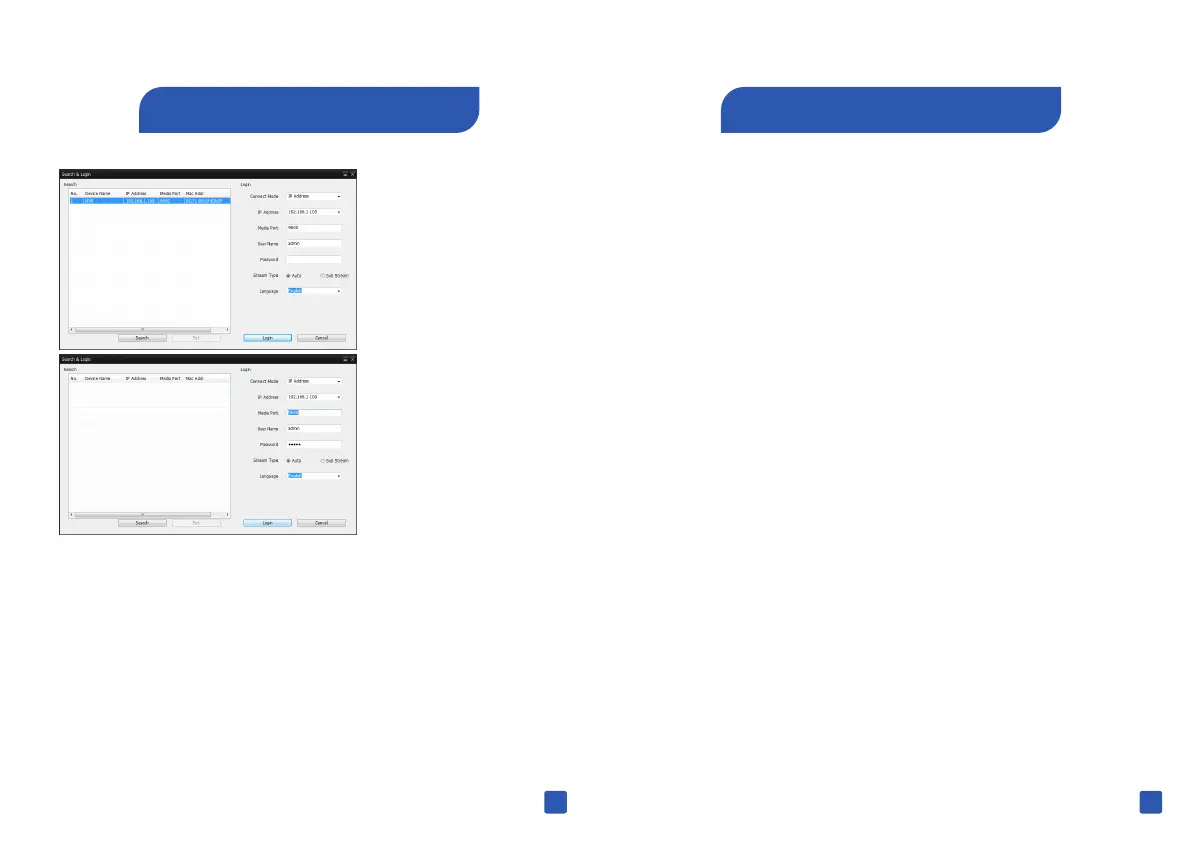
IP Address Mode
This is the standard method of connecting you N VR to your
computer provided they are located not the same network.
This mode normally requires a working knowledge of
networking to connect over the Internet . Don't use this mode
if your NVR and computer are in different locations.
Use Reolink
Click Search to see
the NVR on your
network
Your NVR will be
displayed , Click
this to select.
You need login to connect. You can use the default user name
or different name; enter the default password 12345 or the
password you created during the setup wizard.
If you connect NV R on the same network,select“Main Stream”
under stream type. If you are connecting over the Internet,
please select “Sub Stream” to run smoother for remote
viewing.
Click Login to connect.
33
34



 To Next Page
 Loading...

