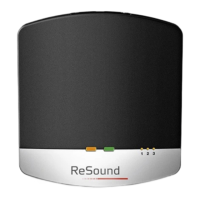
Stop streaming
Shortly press the push button on either hearing instrument. This
will cancel streaming on the side pressed and return to the last
program used.
Note: If your hearing instruments have device-to-device program
synchronisation, enabled a press on one side will take both hear-
ing instruments back to the last program used.
With the ReSound Unite
TM
Remote Control (optional) you just have
to press the “P” button, located in the center of the key pad. This
will return the hearing instruments to the last program used. You
may also press the home button to return to your default settings.
If you are using the telephone with ReSound Unite
TM
Phone Clip+
or PhoneNow
TM
, streaming from the TV Streamer 2 will be tempo-
rarily disrupted. When you have ended your phone call, streaming
will resume.
i
Note! You may get out of range (>7m) from your TV Streamer 2.
If you get back in range within 5 minutes, your hearing instru-
ments will automatically reconnect and continue streaming.


 To Next Page
 Loading...