26
Adjustable delay mode
In rare cases there may be a misalignment between the audio
streamed to the hearing instruments and the sound coming from
the TV speakers (echo) or even a misalignment between the
streamed audio and the TV picture (lip-sync). This may be evident
in more complex audio setups where the TV Streamer 2 is not
connected directly to the TV (e.g. through a set-top box or other
auxiliary unit).
To overcome such misalignments the streaming delay from the
TV Streamer 2 can be adjusted as follows:
1. Make sure that the TV Streamer 2 is turned on and that your
hearing instruments are receiving the streamed audio
2. Press and hold the pairing button (2 on page 8) for 3 seconds.
Now the TV Streamer 2 will enter into the adjustable delay
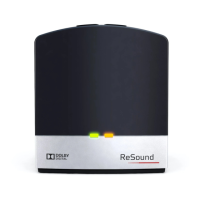
mode, where the green light indicator on the front of the TV
Streamer 2 will blink once every 2 seconds. The yellow light
indicator will be on whenever an audio signal is present
3. Use the “+” and “-“ key (7 and 8 on page 9) on the top of the TV
Streamer 2 to increase or decrease the delay of the streamed
signal in 10 ms steps. The streamed signal can be delayed in
the range of 0-250 ms
4. When the optimal alignment between the audio streamed to
the hearing instruments and the sound coming from the TV


 To Next Page
 Loading...