TV
26 27
ReSound Alera streaming mode volume adjustments
If you are using ReSound Alera wireless hearing instruments vol-
ume adjustment will apply to the streamed audio signal only.
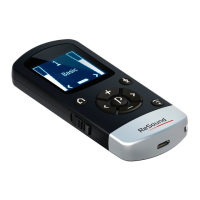
If necessary, adjust volume using the “+” and “-“ keys (6 or 7 on
page 9). The volume of the streamed audio signal can also be ad-
justed individually for left and right hearing instrument by pressing
< or > (8 or 9 on page 9).
To stop streaming and return to the previous program, press the
“P” button (10 on page 9). Alternatively, press the Home button
(4 on page 8), which will reset your hearing instrument to default
settings (see section on “Return to Home settings”) and also reset
the Remote Control 2 to simultaneous adjustment mode.
Phone (optional)
ReSound Unite
TM
Phone Clip+ or the PhoneNow™ also work with
the Remote Control 2. When using the Phone Clip+ or the Phone-
Now this will be indicated on the display:
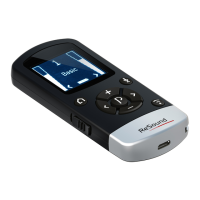
Once the phone call has ended, the hearing instruments will re-
turn to the previously used program. That program is shown on
the display of the Remote Control 2. Volume adjustments made
during the phone call will not be transferred to
your previously used program.
Phone calls will temporarily disrupt stream-
ing from your optional streaming devices, but
streamed audio will be restored once the phone
call has ended.


 To Next Page
 Loading...