EasyManua.ls Logo

ReSound Vea VE330-D - User Manual

ReSound Vea VE330-D
15 pages
Print Icon
To Next Page IconTo Next Page
Loading...
USER GUIDE
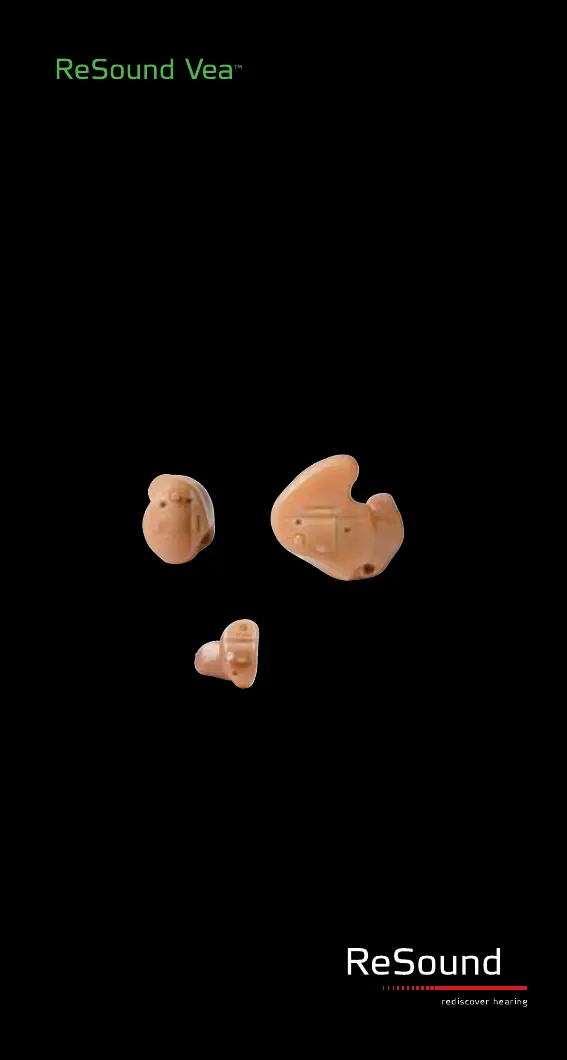
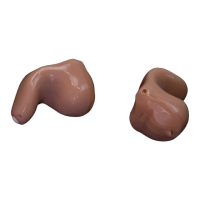
CUSTOM MODELS:
CIC (COMPLETELY-IN-CANAL)
ITC (IN-THE-CANAL)
ITE (IN-THE-EAR)

Questions and Answers

  • J
    Johnathan MartinAug 9, 2025
    How to fix ReSound Hearing Aid with no sound?
    • R
      Ryan TerryAug 9, 2025
      If your ReSound Hearing Aid produces no sound, it might not be turned on. Try turning it on by closing the battery door. Another possibility is a dead battery, in which case you should replace it. Also, check if the battery is properly inserted if the battery door won't close. Finally, the earmold or tube could be blocked, so try cleaning it.
  • V
    victoria05Aug 17, 2025
    What to do if ReSound Vea VE330-D sound is distorted?
    • T
      Timothy LewisAug 17, 2025
      If the sound from your ReSound Hearing Aid is distorted or not clear, the battery may be weak, so try replacing it. If that doesn't solve the problem, or the earmold or dome doesn't fit properly, or the hearing instrument is damaged, or the hearing instrument settings are not optimal, consult your hearing care professional.
  • J
    Jacqueline FieldsAug 25, 2025
    Why ReSound Vea VE330-D is not loud enough?
    • S
      sosacynthiaAug 26, 2025
      If your ReSound Hearing Aid isn't loud enough, carefully reinsert the hearing instrument, as incorrect placement could be the cause. If the sound outlet filter is blocked, change the filter or consult your hearing care professional. Also, consult your hearing care professional if you have a change in hearing sensitivity, or increase the volume control if available. If the problem persists, consult your hearing care professional. Excessive ear wax could also be the reason, in this case consult your physician.
  • A
    amberhancockSep 1, 2025
    What to do if ReSound Vea VE330-D Hearing Aid has excessive whistling?
    • L
      Lauren MccartySep 1, 2025
      Excessive whistling or feedback in your ReSound Hearing Aid can occur due to incorrect placement; carefully reinsert the hearing instrument. Consult your hearing care professional if you have excessive ear wax, or if the feedback control needs adjustment, or if the hearing instrument settings are not optimal.

Summary

Description of Hearing Instrument Models

CIC Hearing Instrument Components

Lists parts like battery compartment, sound outlet, microphone inlet.

ITC;ITE Hearing Instrument Components

Lists parts like program button, sound outlet, volume control.

Getting Started with Your Hearing Instruments

Operating Hearing Instrument Features

Tele-loop Systems and Instrument Care

Daily Cleaning Procedures

Daily cleaning of hearing instruments with a soft cloth and brush.

Replacing Wax Filters

Step-by-step guide to replacing wax filters in custom instruments.

Instrument Handling and Safety Precautions

General Warnings and Battery Information

Professional Consultation Warnings

Consult a hearing care professional for foreign objects or irritation.

Battery Handling and Disposal Warnings

Warnings against recharging, burning, or ingesting batteries.

Battery Safety for Children and Pets

Keep batteries away from children and pets to prevent ingestion.

Troubleshooting Common Issues

Troubleshooting: No Sound

Addresses causes and remedies for no sound output from the instrument.

Troubleshooting: Low Volume

Addresses causes and remedies for insufficient sound amplification.

Troubleshooting: Whistling;Feedback

Addresses causes and remedies for whistling or feedback sounds.

Troubleshooting: Distorted Sound

Addresses causes and remedies for distorted or unclear sound.

Technical Data and Warranty Information

Warranty Terms and Conditions

Details ReSound's warranty policy for hearing instruments.

Service and Repair Procedures

How to contact for service and what actions invalidate the warranty.

ReSound Vea VE330-D Specifications

General IconGeneral
BrandReSound
ModelVea VE330-D
CategoryHearing Aid
LanguageEnglish

Related product manuals