EasyManua.ls Logo

ReSound LINX 3D - User Manual

ReSound LINX 3D
68 pages
Print Icon
To Next Page IconTo Next Page
Loading...
User guide
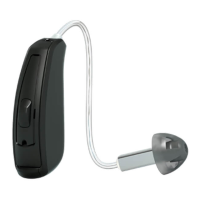
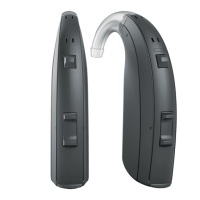
Behind-The-Ear hearing aids
resound.com
400618011US-17.01-Rev.A.indd 1 25-01-2017 09:59:08

Table of Contents

Other manuals for ReSound LINX 3D

Questions and Answers

  • M
    millsstevenJul 27, 2025
    Why ReSound LINX 3D has no sound?
    • B
      briancombsJul 28, 2025
      If your ReSound Hearing Aid has no sound, first ensure that the device is switched on. If it's on, check if it's accidentally set to telecoil mode and switch it back to the microphone program. Also, verify that a battery is inserted and that it is not depleted; replace it with a new one if necessary. For persistent issues, it could be due to earwax or a problem with the plastic tube or earmold, requiring professional attention.
  • J
    Jordan FreemanAug 4, 2025
    How to stop feedback “whistling” in ReSound LINX 3D Hearing Aid?
    • L
      Laura JohnsonAug 4, 2025
      If your ReSound Hearing Aid is producing feedback or a whistling sound, make sure the earmold or dome is correctly inserted. If the volume is too high, reduce it. Ensure that you are not holding any objects close to the hearing aid. If the problem persists, your ear may be full of wax, or the plastic tube or earmold may be clogged or broken, requiring professional attention.
  • J
    Jose SalazarAug 11, 2025
    Why does the battery drain very quickly on ReSound LINX 3D Hearing Aid?
    • R
      Rachael WatkinsAug 11, 2025
      If the battery in your ReSound Hearing Aid drains very quickly, make sure you switch off the hearing aid when not in use, such as during the night. Also, check the date on the battery packaging to ensure the battery is not old.
  • S
    stevenyatesAug 19, 2025
    What to do if sound is distorted, spluttering or weak in ReSound LINX 3D?
    • C
      Caitlin SkinnerAug 19, 2025
      If the sound from your ReSound Hearing Aid is distorted, spluttering, or weak, the first step is to replace the battery with a new one, ensuring it is clean. If the issue continues, it could be due to moisture exposure; try using a desiccant. For persistent sound issues, the plastic tube or earmold may be clogged or broken, and you should visit your hearing care professional.

Summary

Introduction and Device Overview

Hearing Aid Intended Use

Defines the purpose and function of the hearing aids.

Adapting to Hearing Aid Amplification

Guidance on getting accustomed to wearing hearing aids.

Understanding Your Hearing Aid Components

Identification of Hearing Aid Parts

Details the physical components of the ReSound LINX 3D hearing aid.

Left vs. Right Hearing Aid Recognition

How to correctly identify left and right hearing aids.

Getting Started: Power, Battery, and Controls

Powering On;Off and Battery Management

Instructions for turning the hearing aid on/off and managing batteries.

Volume and Program Control

How to adjust sound volume and switch listening programs.

Key Features: Telephones, Connectivity, and TSG

Telephone Use and Connectivity

Information on using telephones and connecting to devices.

Tinnitus Sound Generator (TSG) Module

Explains the TSG module's function in tinnitus management.

Care, Safety, and Troubleshooting

Hearing Aid Care and Maintenance

Essential advice for keeping hearing aids clean and functional.

General Safety Warnings and Precautions

Critical safety information for all users.

Troubleshooting Common Issues

Solutions for feedback, no sound, and battery problems.

Technical Specifications and Support

Hearing Aid Technical Specifications

Detailed technical data for different hearing aid models.

Warranties, Repairs, and Service

Information on product warranty, repair, and support.

ReSound LINX 3D Specifications

General IconGeneral
ModelLINX 3D
Wireless ConnectivityYes
BluetoothYes
App CompatibilityReSound Smart 3D app
Directional MicrophonesYes
Noise ReductionYes
Feedback CancellationYes
Fitting RangeMild to severe hearing loss
TechnologyDigital
Channels17
GainUp to 70 dB
Battery TypeRechargeable (selected models)
StyleBehind-the-Ear (BTE)
Frequency Range100 Hz - 8 kHz
Battery LifeVaries by model and usage
FeaturesSpatial Sense
TypeBehind-the-Ear (BTE)
Water ResistanceIP68

Related product manuals