BiliChek Service Manual
14
1014988
9.0 Set-Up Mode
To initially set up the BiliChek
®
or to customize it for a spe-
cific institution, the following list of features can be changed
from the initial factory settings.
♦ Select audio On/Off
♦ Select the measurement units (mg/dl or µmol/L)
♦ Set the automatic power-off time interval
(60 or 120 seconds)
♦ Select the time format (12H or 24H)
♦ Set the current time
♦ Select the date format (MO/DA or DA/MO)
♦ Set the current date
To Turn The Unit On
♦ Install a fully charged battery pack. Ensure that the
battery pack is fully in place and latched. If EOO is
displayed, see Section 11.0 of this manual.
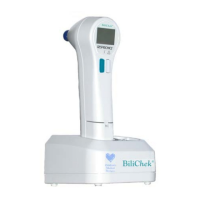
♦ Press and release either F1 or F2
♦ The unit will turn on and boot up the system. During
this boot-up, the software checks the main software,
activates the measurement light bulb, Measurement
Status Indicator, and all LCD indicators. The current
software revision and current configuration are dis
played. The boot-up will end at the home screen dis
playing the last measurement, time and date, or display
an error code message.
NOTE: The BiliChek hand-held unit does not have an OFF
switch. The power will automatically shut off if it is left idle
for a specified period of time (60 or 120 Seconds).
(teal)


 To Next Page