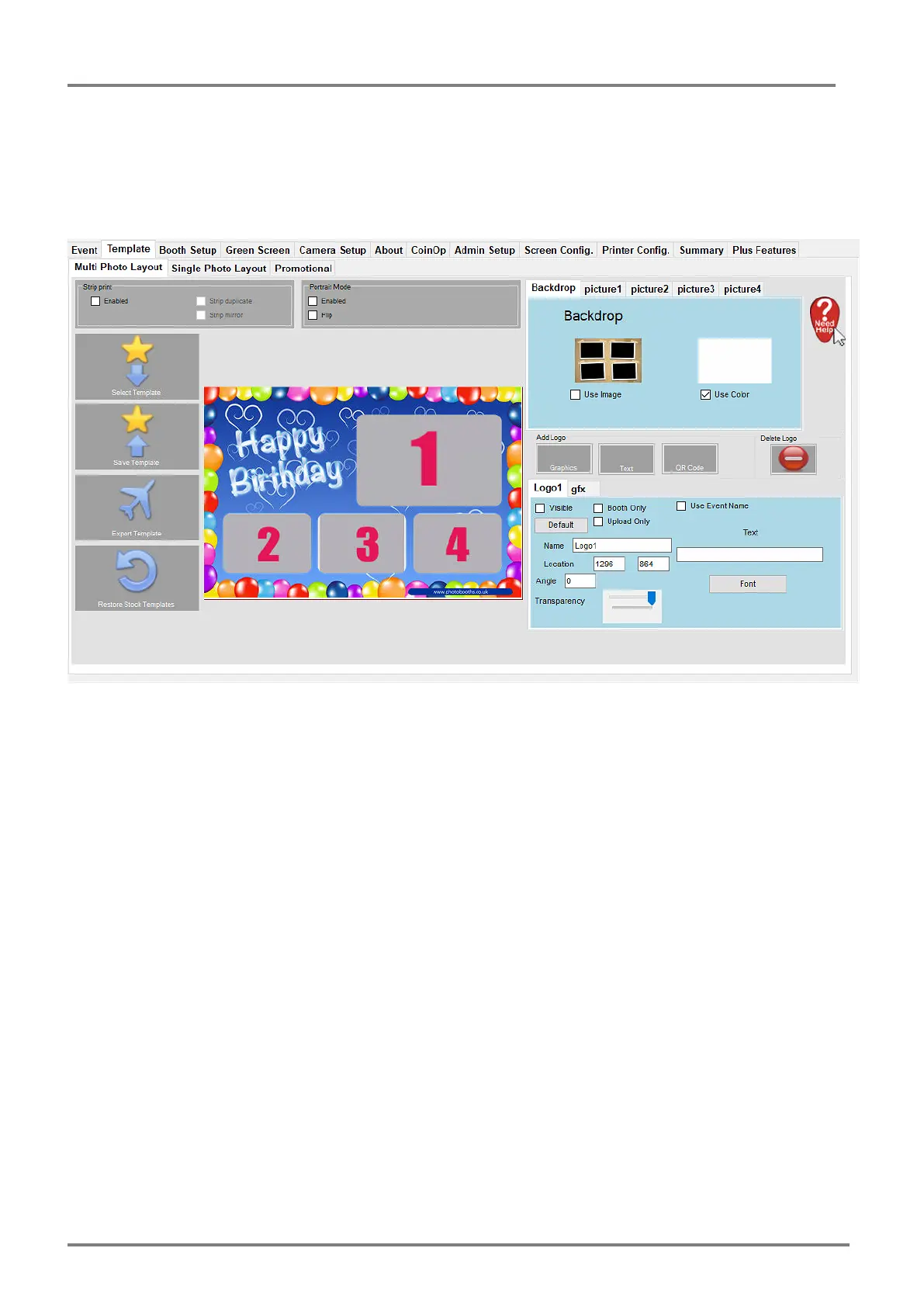
Using all the options on this page allows you to layout 4 Up images.
Backdrop – This will allow you to set a solid colour or use a Background Image.
Picture1 – Alter and move the picture around on the live view and use the settings in this tab to
finely tune your layout. This is the same for Picture2, 3 and 4. Additional options allow the
pictures to be turned on, orientation, angle scale and transparency.
You can add a Logo of text, graphic or QR code by clicking the optional buttons. This will
provide additional tabs below that can be indidivudally setup for each item. Multiple logo’s and
text can be added to each layout.
You can also choose Strip printing options in the Strip print sub-window. This will require a
printer to allow the strip printing and Printer settings will need to be set in the Printer Config.
Tab.
After complete selecting Save Template will save this layout for future use (Select Template).



 To Next Page