RXiBreeze PAP System User Manual
18
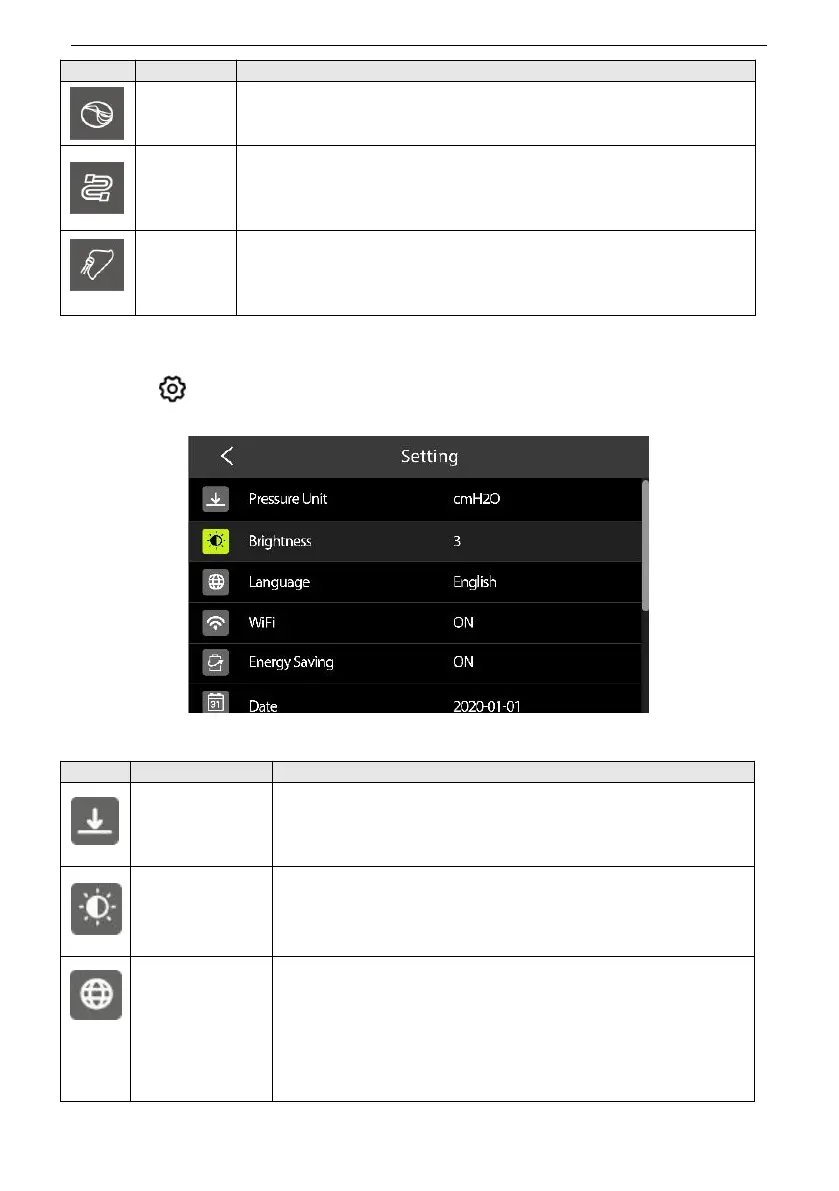
Set IPR (Intelligence Pressure Release) level.
Option: OFF / 1-3 Default: 2
Set the Tube type.
Option: 15 mm / 19 mm Default: 15 mm
Set the Mask type.
Option: Full Face / Nasal / Pillow Default: Nasal
9.2.4 Patient System Setting
Press key in the Patient Standby interface to enter Patient Setting interface.
Figure4 Patient Setting Interface
Set the pressure unit.
Option: hPa / cmH
2
O Default: cmH
2
O
Adjust the Screen Brightness.
Option: Auto / 1-3 Default: 2
Set the system interface language.
Option:English / Spanish / French / German / Italian /
Portuguese
Default: English.
Note: Not all the languages are available, the optional
items depend on software version.


 To Next Page