RXiBreeze PAP System User Manual
19
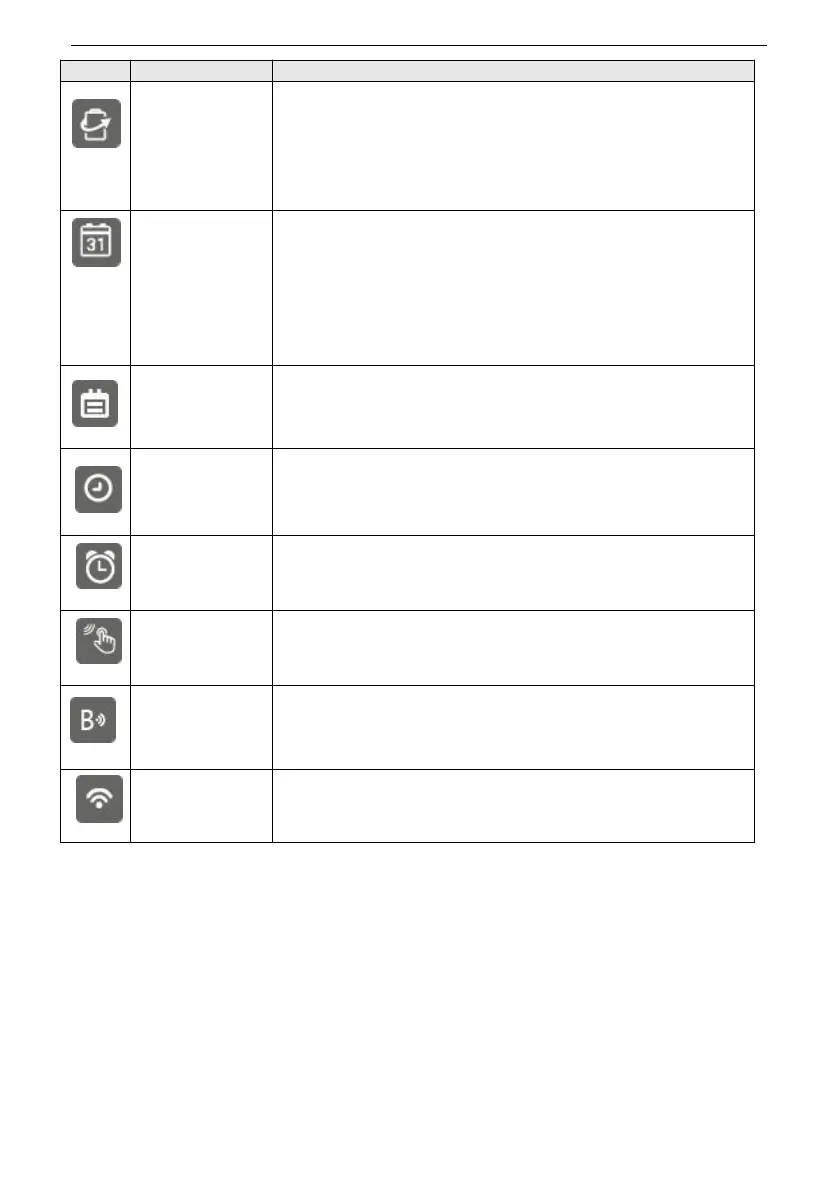
Set the Energy Saving function on or off.
When Energy Saving is on, the screen will be turned off
automatically if there is no operation within 3 minutes in
standby mode, or 30 seconds in therapy mode. If Energy
Saving is off, the screen is always on.
Option: ON / OFF Default: ON
Set the system date.
Note:
1. Date setting can’t be earlier than the latest time of the
report in the device.
2. The system date is required to reset on the first time
start up when the device is restored the factory default
settings.
Set the system date format.
Option: YYYYMMDD / MMDDYYYY / DDMMYYYY
Default: YYYYMMDD
Set the system time.
Note: time setting can’t be earlier than the latest time of
the report in the device.
Set the Alarm clock on or off, and the alarm time.
Option: ON / OFF Default: OFF
Set the switch key tone volume on or off.
Option: ON / OFF Default: OFF
Set the Blue Network function on or off.
Option: ON / OFF Default: OFF
Set the WiFi function on or off.
Option: ON / OFF Default: ON


 To Next Page