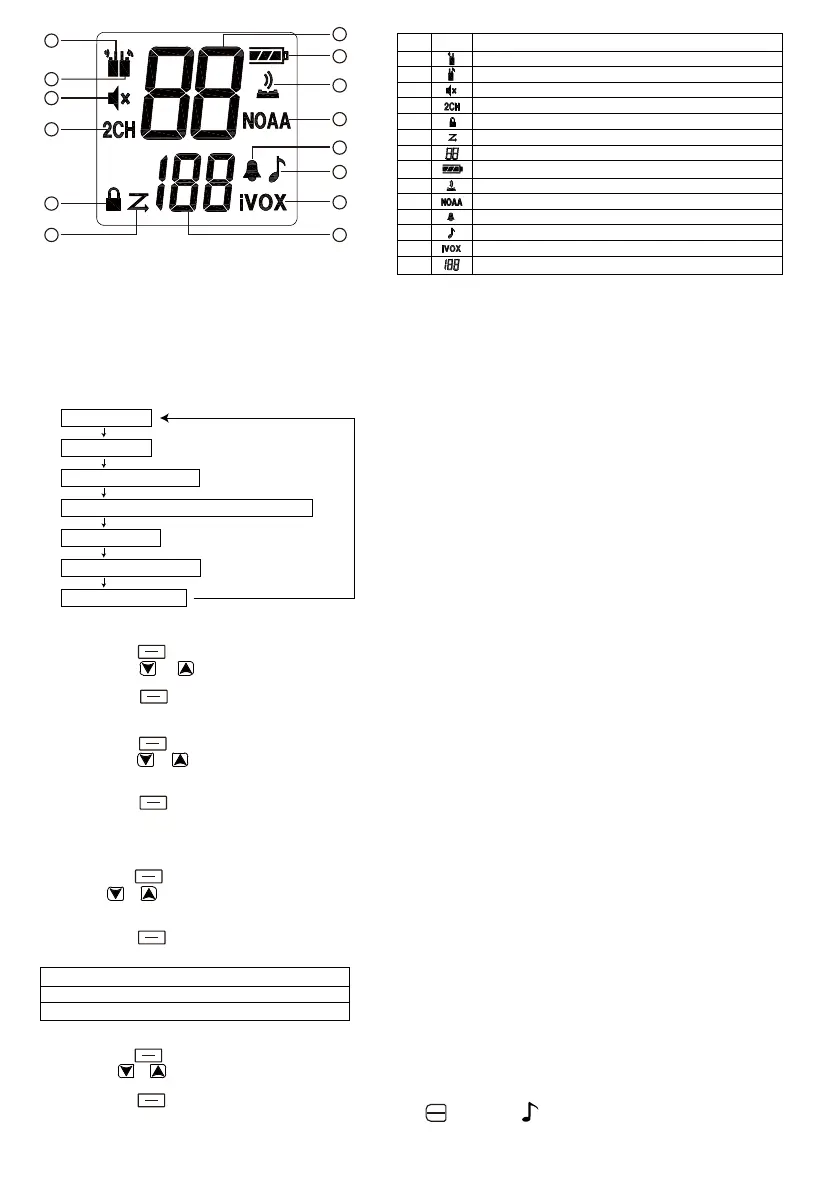
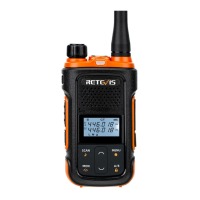
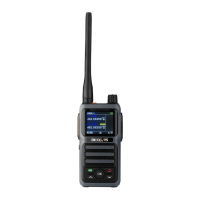
Menu options
Short press (function key icon) to switch menu options
Select channel
1. Short press the key to enter the channel selection mode.
2. Short press the or key to switch channels, and long press the up and down keys to quickly browse channels.
3. Short press the PTT button to confirm and exit the menu.
4. Short press the key to continue setting.
Select CTCSS/DCS
1. Short press the key to enter the tone selection mode.
2. Short press the or button to select the CTCSS/DCS decoding, and long press the up and down keys to quickly browse the
CTCSS/DCS.
3. Short press the PTT button to confirm and exit the menu.
4. Short press the key to continue setting.
NOTE: CTCSS/DCS can minimize interference by blocking transmissions from unknown sources. The walkie-talkie has 159 CTCSS/DCS
codes.
VOX
1.Short press the button, when the VOX icon is displayed on the LCD screen, connect the audio accessory and display VOX icon.
2. Press the or key to select the voice control sensitivity level, and long press the up and down keys to quickly browse the voice
control level.
3. Short press the PTT button to confirm and exit the menu.
4. Short press the key to continue setting.
Note: When using VOX, there is a short delay (about 3 seconds).
Set call tone
1.Short press the key, the icon will be displayed on the LCD screen.
2. Short press or to switch the call prompt, and long press the up and down keys to quickly browse.
3. Short press the PTT button to confirm and exit the menu.
4. Short press the key to continue setting.
Note: When setting the same channel and CTCSS/DCS, short press the key, the icon will be displayed on the screen, and the
receiving end will receive a call tone prompt.
Note: 1. For the purpose of saving battery power, when the screen is on and there is no operation for 10 seconds, the screen will turn off the
bright screen state (the backlight mode is selected by default and cannot be changed).
2. Press any button to wake up the screen to brighten the screen (default backlight mode,cannot be changed).
3.Enter the menu option, it will automatically exit the menu option after 10 seconds of no operation.
No. Icon Description
1 Receive instructions
2 Transmit instructions
3 Mute indicator
4 Dual Channel Monitor Indication
5 Keypad lock indicator (on/off)
6 Scan Indicator (On/Off)
7 Channel indication (1/16)
8 Battery level indicator
9 Keyboard tone indicator (on/off)
10 Weather forecast indication (on/off)
11 Roger beep indicator (on/off)
12 Call Prompt Tone (1/10)
13 VOX(OFF/1/2/3)
14 CTCSS/DCS indication (1/159)
Standby mode
Channel(1-22)
CTCSS/DCS(0F/1-159)
Internal VOX transmission/VOX transmission Menu
Call beep (1-10)
Keyboard tone (ON/OF)
Roger beep (ON/OF)
3=Low sensitivity, suitable for noisy environment
2=medium sensitivity, suitable for most environments
1=high sensitivity, suitable for quiet environment
MENU
LOCK
MENU
LOCK
MENU
LOCK
MENU
LOCK
MENU
LOCK
MENU
LOCK
MENU
LOCK
MENU
LOCK
1
2
3
4
5
6
8
9
11
12
13
14
10
7
CALL
NOAA
2


 To Next Page