Need help?
Do you have a question about the Retsch AS200 tap and is the answer not in the manual?
Ensures users read, understand, and have access to safety rules and documentation.
Use only for intended purpose and approved parts; no modifications allowed.
Clean with a moist cloth only. Repairs by authorized personnel only.
Laboratory apparatus for dry sieving; not for production. Separates various materials.
No unauthorized modifications or spare parts. Use of non-licensed parts voids warranty.
Must be installed on a stable surface due to potential unbalance.
Avoid shocks and impacts during transport to prevent damage.
Verify voltage and frequency match type plate and available power system.
Connect via provided cable, use external fuse as per regulations. Non-adherence risks damage.
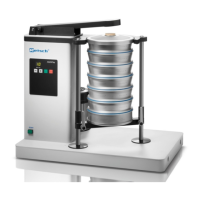
Overview of key controls like tapping arm, lock hook, clamping lever, sieve plate, lid, stopper, display.
Describes functions: Tapping arm transmits pulses, lock hook secures hood, clamping lever adjusts stack height.
Main switch at the back turns the unit on/off. STOP LED indicates readiness.
Shows time display, +/- buttons for time setting (1-99 min), START/STOP buttons.
Set time using buttons; '--' indicates continuous operation. Time range 1-99 min.
START initiates, STOP pauses (with LED indication), double STOP stops operation.
AS 200 tap fits sieves with 200mm and 203mm (8") outer diameters.
Loosen screws, lower carriage, place stack, raise carriage to guide ring, retighten screws.
Automates grain size analysis, measuring, and weighing, offering superior efficiency.
 General
| Brand | Retsch |
|---|---|
| Model | AS200 tap |
| Category | Analytical Instruments |
| Language | English |


 To Next Page