8 January 2008 Retsch GmbH 13 Doc. no. D 98.025.9999
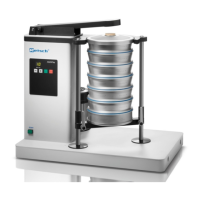
Operating the AS 200 tap
Switching on and off
The main switch is located on the left side at the
back of the AS 200 tap
Turn on the main switch
- - lights up in the time min display
The STOP LED lights up
The AS 200 tap is now ready for operation without
interval and in continuous operation at a speed of 50
min
-1
.
Display and operating element
The + button increases the sieving time in the range
from 1 – 99 min.
The – button reduces the sieving time, and the range
from 1 – 99 min is shown in the display.
A set continuous operation is shown with - - in the
display.
Press the START button to start the sieving
operation. The green LED lights up during the sieving
process.
Press the STOP button to end the sieving operation.
The red LED lights up.



 To Next Page