outside diameters of 200 mm and 203 mm (8“).
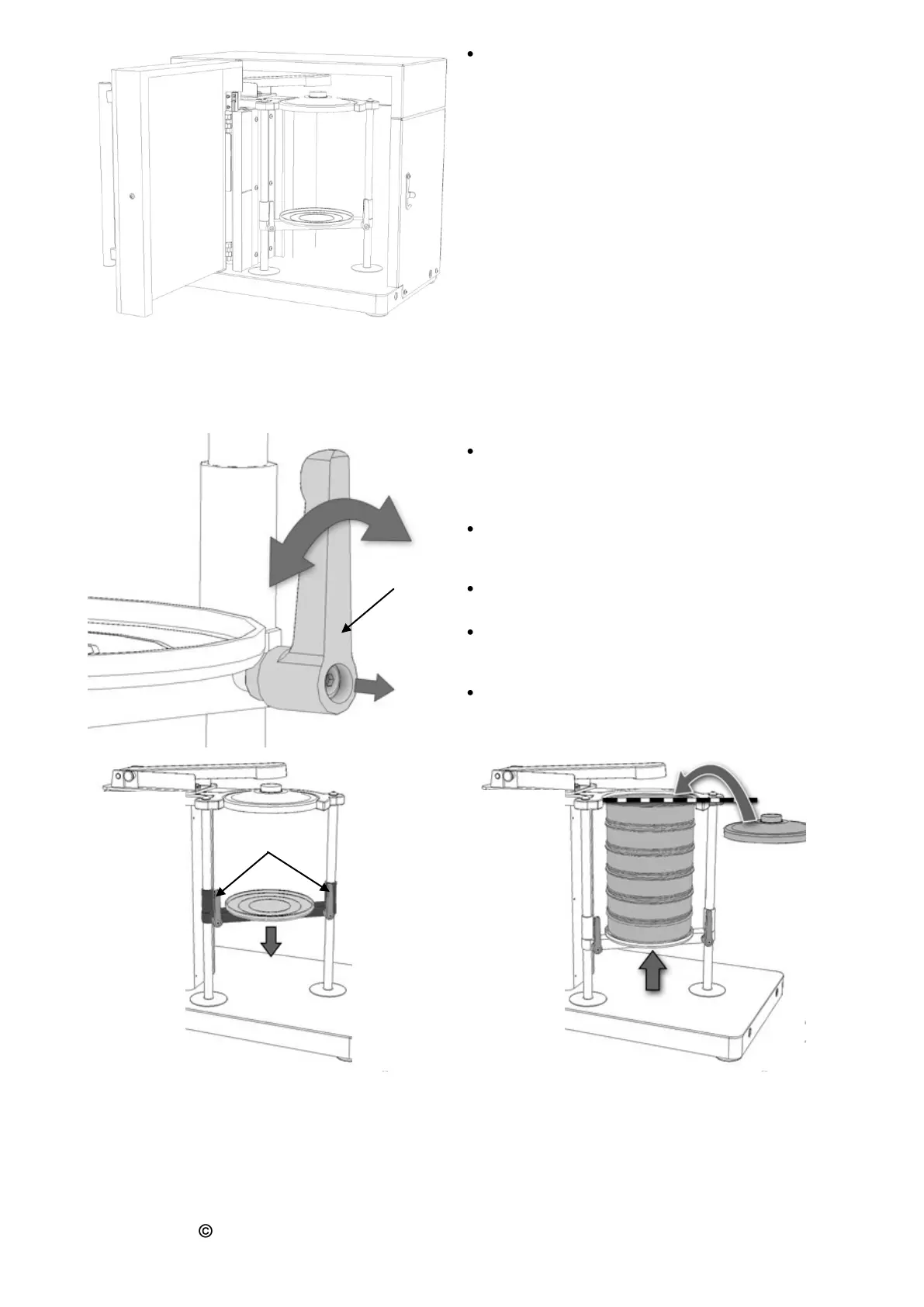
To make it possible to loosen the clamping
screws easily, the position of the KH clamping
lever can be adjusted independently of the
clamping screws.
Then unscrew the two clamping screws C and
push the carriage downwards. Tighten both
clamping screws firmly again.
Place the sieve stack in the centre of the carriage
and loosen the two clamping screws.
Push the carriage upwards until the top edge of
the sieve stack is at the same level as the guide
ring. Then tighten the clamping screws again.
Lift the tapping arm slightly and place the sieve
lid E with cork stopper on the top sieve.



 To Next Page