BBC R3
Composer of the Week
Coming next - Proms
Chamber Music 2009
14
FM RADIO MODE
FM OPERATION
Please ensure that the antenna is extended before operation in FM
MODE.
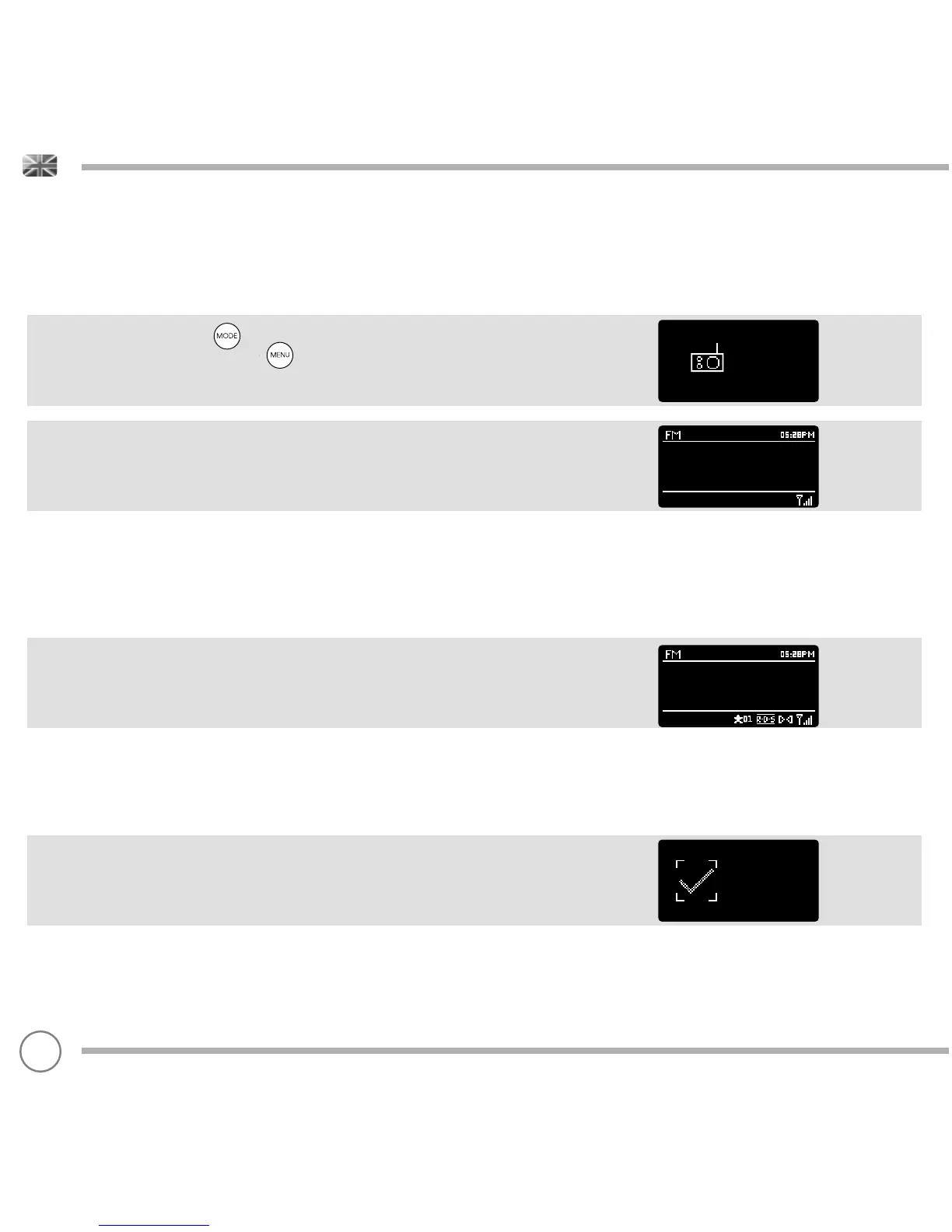
To enter FM MODE, press the button until the FM MODE intro
screen is displayed, alternatively press then select MAIN MENU,
then FM from menu option list.
If this is the fi rst time that SUPERCD has been used in FM MODE,
scanning will start at the beginning of the frequency range -
otherwise SUPERCD will default to the station that was being listened
to last.
Pressing the SELECT button will start the radio scanning for the next
available station. SUPERCD will automatically stop scanning when a
station is found.
To fi ne tune, use UP or DOWN on the joystick controller to
incrementally change the frequency.
When on an FM station that has a strong signal and is broadcasting
RDS information, SUPERCD will display the station name and other
pieces of text information on-screen.
FAVOURITE STATION PRESETS
SUPERCD allows you to store your favourite stations as presets, either
via its 10 front panel mounted ‘hot-keys’, or the numbered preset
buttons located on the remote control.
To store the station you are currently listening to as a preset, simply
press and hold a preset button until ‘Preset Stored’ is display on your
radio’s screen. The preset number that has been assigned to the
station will be displayed at the bottom of the screen.
If you want to change a particular preset in the future, repeat
the process and the previously stored preset will be automatically
overwritten.
FM
radio
87.50 MHz
Preset stored


 To Next Page