16
Wirelessly stream music from your Bluetooth smartphone, tablet, laptop or other
Bluetooth enabled device directly to SUPERCD, without the need for physical
docking or connection.
PAIRING WITH BLUETOOTH DEVICES
‘Pairing’ occurs when two Bluetooth devices talk to each other and establish a
connection. This connection is stored in the memory of both devices, meaning
that once you ‘pair’ a particular device with SUPERCD, you shouldn’t have to go
through the pairing process again.
HOW TO PAIR A BLUETOOTH DEVICE WITH SUPERCD
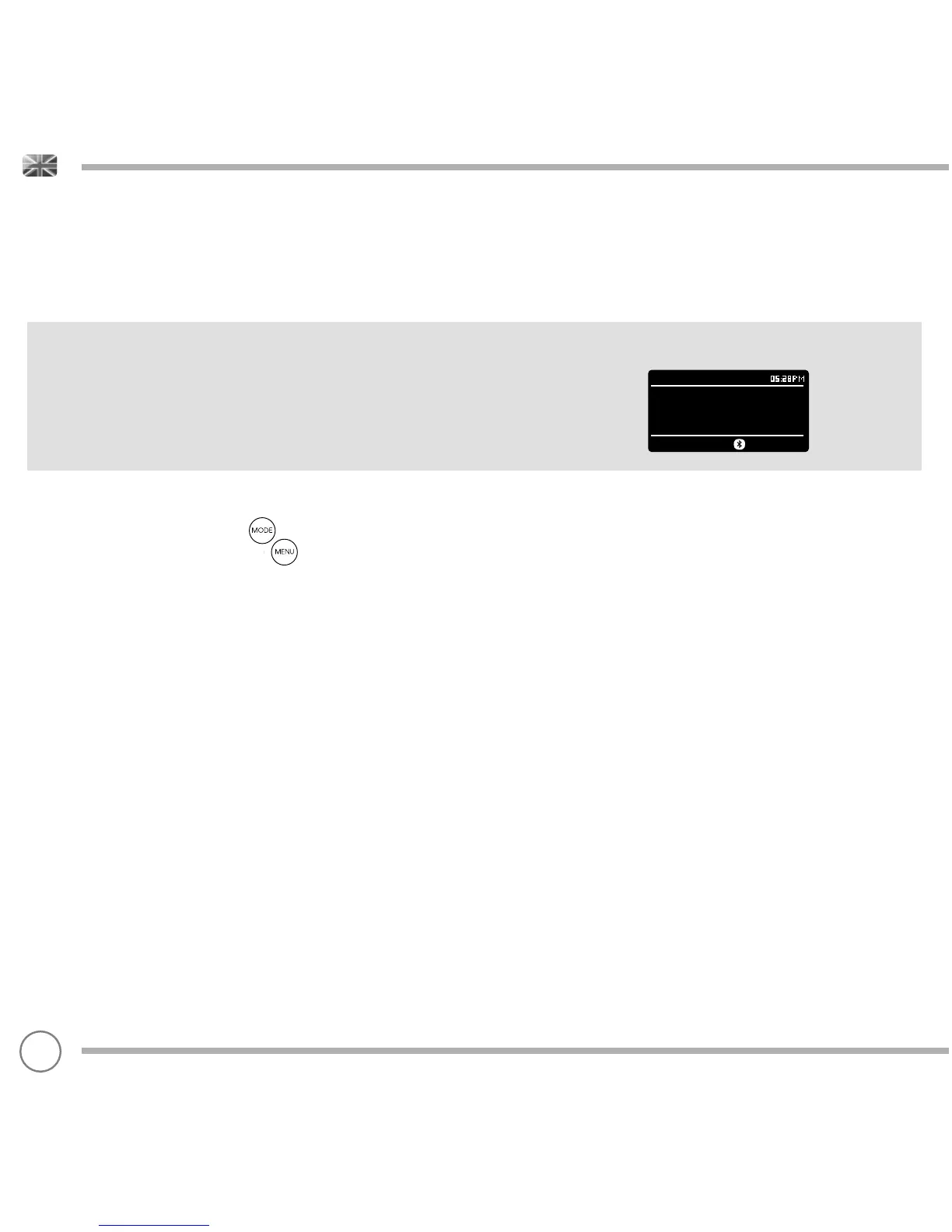
To enter Bluetooth mode, press the button until the Bluetooth mode intro
screen is displayed. Alternatively, press then select MAIN MENU then
Bluetooth from the option list. SUPERCD will now enter pairing mode, signifi ed by
the fl ashing Bluetooth icon at the bottom of the screen.
On your Bluetooth device, ensure that Bluetooth is enabled then initiate a ‘Search’
for a new device. When the search process has been completed, your device will
list all the available Bluetooth devices in your close proximity.
Now select SUPERCD from the list.
Your Bluetooth device will confi rm when pairing has been completed, and
SUPERCD will now display a static Bluetooth logo on screen.
BLUETOOTH MODE
Bluetooth
Bluetooth Input
Today’s Date:
05/11/14


 To Next Page