Alarm off
ALARM CLOCK
SETTING AN ALARM
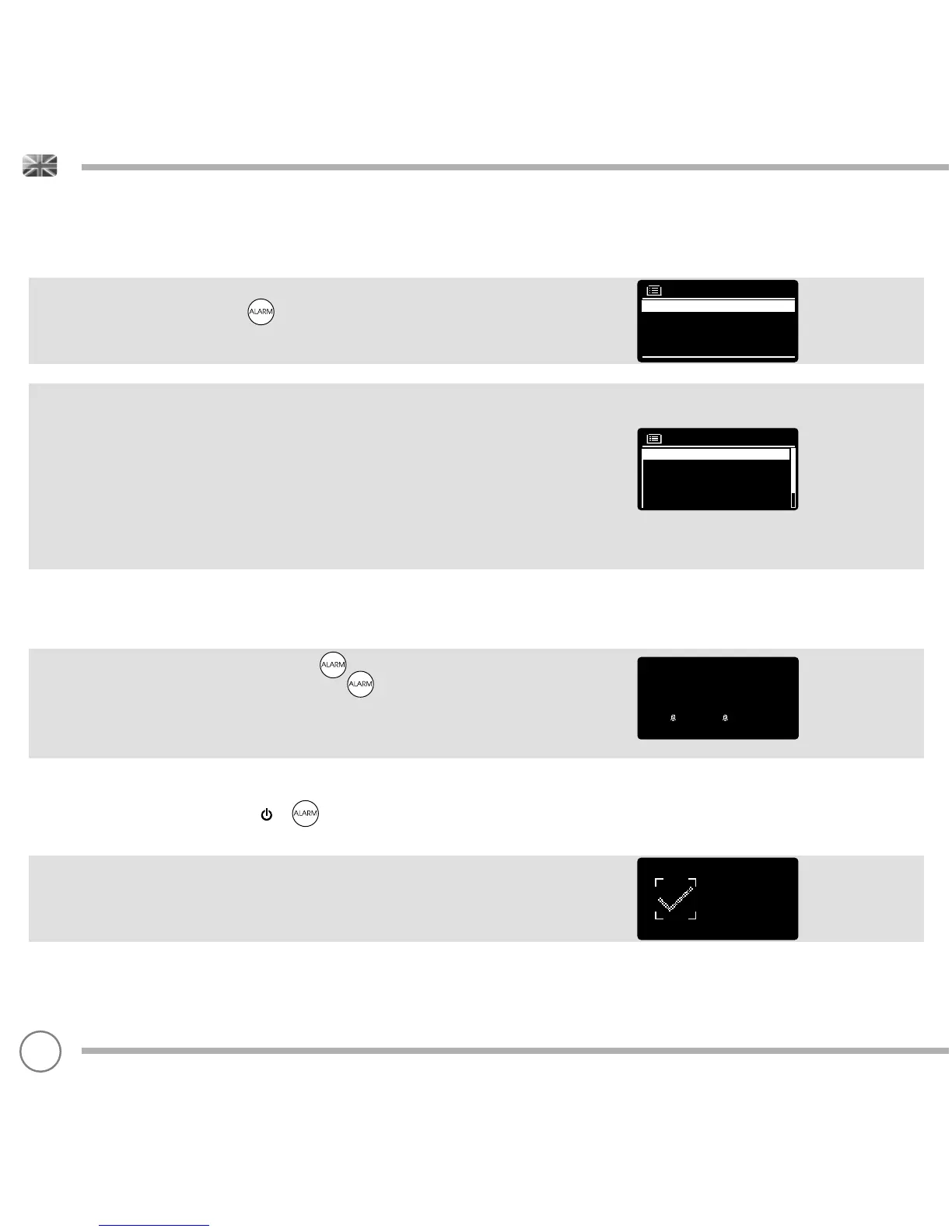
SUPERCD is able to store two individual alarm settings. To set or
change an alarm, either press the button, or select MENU,
then MAIN MENU, then ALARM. Select which of the ALARM SETTINGS
(Alarm 1 or Alarm 2) you would like to modify or enable.
Using the joystick controller, scroll through the options below, setting
your preferences.
• Enable: ‘Off’, ‘Daily’, ‘Once’, ‘Weekends’ or ‘Weekdays’
• Time, and date if required
• Mode: Buzzer, Internet Radio, DAB, FM or CD
• Preset: Last listened or favourite station preset 1-10
• Volume: 0 - 32
When your preferences have been set, remember to select SAVE.
SUPERCD shows any active alarms by displaying an icon at the
bottom of its screen.
When in STANDBY MODE, by simply pressing the button, you can
turn any alarms held in memory ON or OFF. Pressing will cycle
through ALARM 1 and ALARM 2 settings, enabling, and disabling
them. If the ALARM icons are displayed, the alarm is enabled.
If no alarm icon is shown, the alarms are switched off.
STOPPING AN ALARM
When an alarm is sounding, pressing or will STOP the alarm.
When the alarm has been cancelled, an ALARM OFF message will be
displayed on SUPERCD’s screen.
Alarm 1
Time : 7:30AM
Mode : internet radio
Preset : last listened
Volume : 6
Enable : Daily
Alarms
Alarm 2: Off [07:50AM]
Alarm 1: Off [06:55AM]
14:30
12/10/2014
06:55AM 07:50AM
34


 To Next Page