MODE MENUS
The Mode Menus are so called because they show the functions
available within the currently selected mode.
Pressing the button at any time will take you to the Mode
Menu for the mode of operation your radio is currently in.
Each of the Mode Menus also includes a listing for MAIN MENU,
allowing you to return to the top level MAIN MENU.
MAIN MENU
This is SUPERCD’s principle (top level) menu, and allows you to enter
different operating modes, change settings and view information
such as your device’s ID number software version.
In order for you to get the most from your device, it is important for
you to understand how its joystick and menu system operates.
JOYSTICK CONTROL
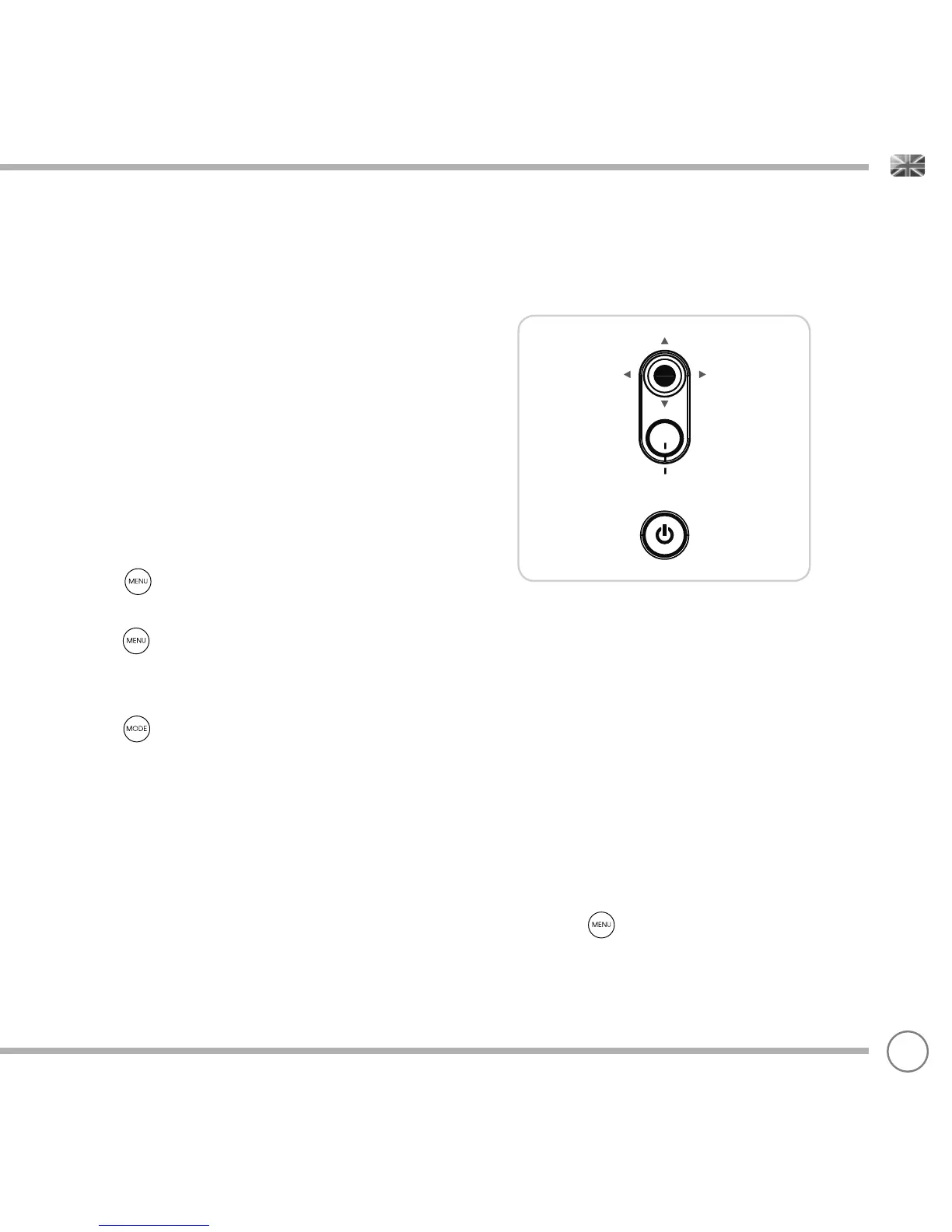
SUPERCD uses a joystick-based control system for ease of use.
The joystick controller has four functions and is used in conjunction
with a separate SELECT button.
UP Scrolls Up
DOWN Scrolls Down
LEFT Scrolls Left and moves back through menus
RIGHT Scrolls Right and moves forward through menus
SELECT Selects current option
MENU BUTTON
Pressing the button will take you to the Mode Menu for the
particular mode of operation you are in. For example, pressing
when in DAB Mode will take you to the DAB MODE MENU.
Pressing the button for a second time will return you to the
‘playing screen’ that you just left.
MODE BUTTON
Pressing the button will sequentially cycle through each of
SUPERCD’s modes of operation. It is also possible to move between
modes of operation via the MAIN MENU (see below).
CONTROLLING SUPERCD
MENU STRUCTURE EXPLAINED
07
‘UP’
‘DOWN’
‘SELECT’
‘LEFT’
(Back)
‘RIGHT’
(Forward)


 To Next Page