RANGE 3D Scanner User Manual
COPYRIGHT ©2022 REVOPOINT 3D ALL RIGHTS RESERVED 8
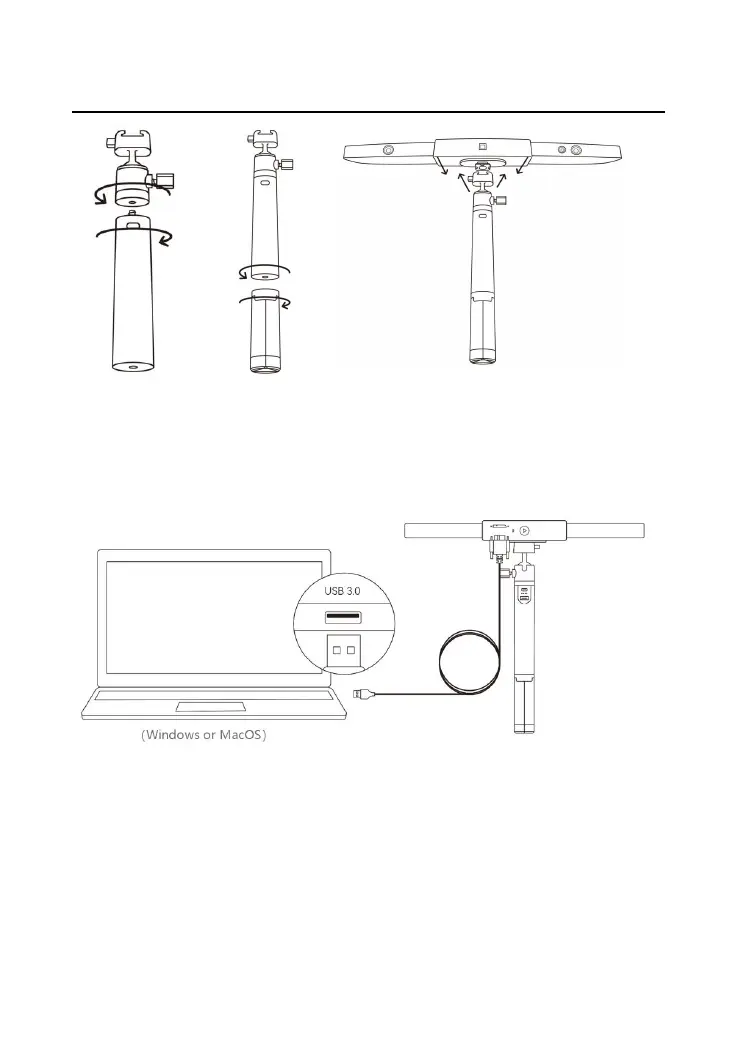
Step 4: Connect the micro-B USB end of the cable to the back of your
RANGE.
Step 5: Plug the Type A end into your computer.
Step 6: Open Revo Scan on your computer.
Note:
1) Connect the RANGE to a USB 3.0 port or above, as USB 2.0 will
not supply sufficient operating power. Ensure your USB 3.0 port is
not damaged or worn out.
2) If there is no Type-A port on your laptop, use the Type-A-to-C



 To Next Page