7
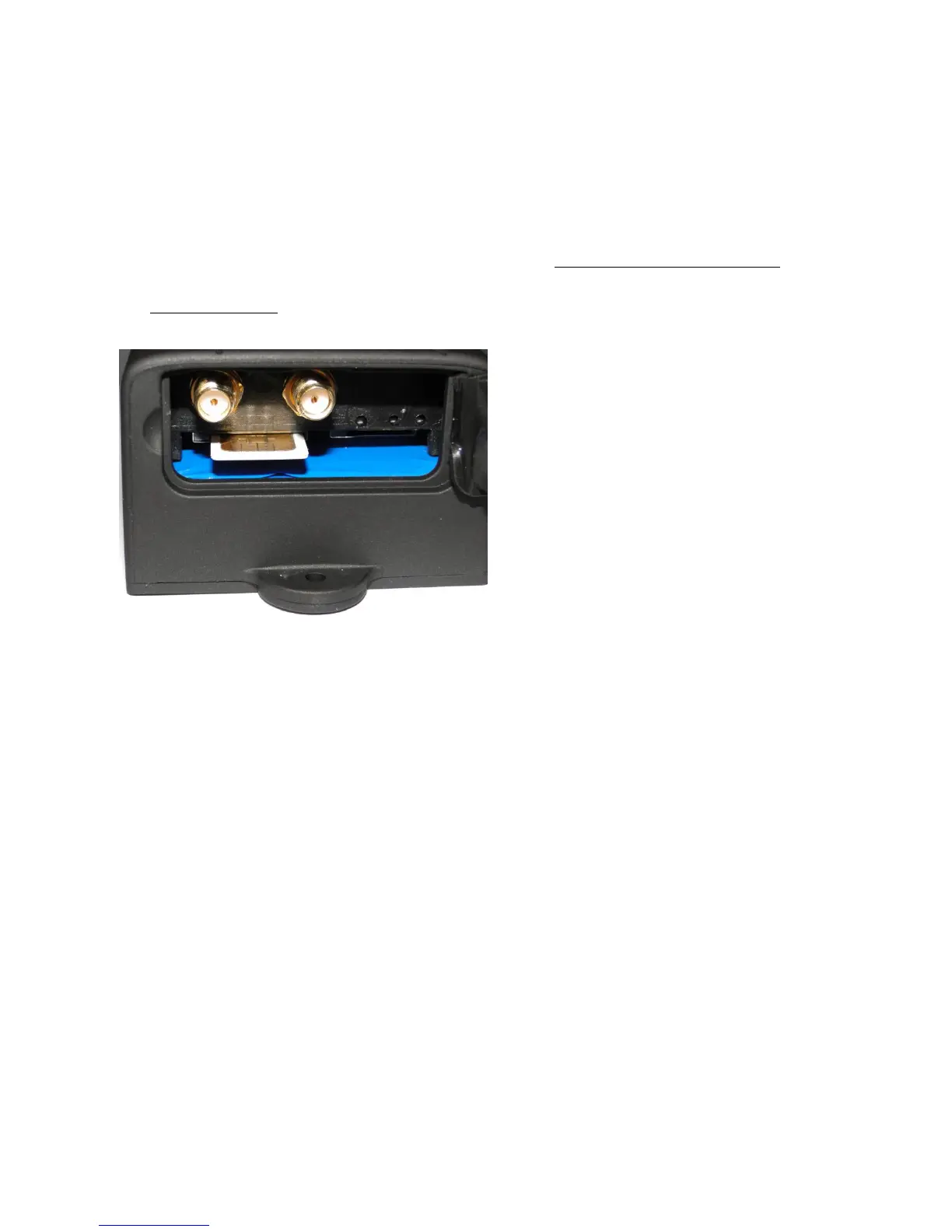
3. SIM Card Installation
3.1 Please make sure that your SIM card has been activated and that PIN code
request is disabled. If you are using contract SIM card and would like to use
GPRS tracking, make sure your SIM card's Internet is enabled. 104-PRO
will only work with standard full size sim cards. Please do not use a nano or
micro sim card.
3.2 Ensure that when communicating (Call/SMS) with the tracker your phone
has caller id enabled, otherwise you will not get any response.
4. Charging
Please fully charge the unit for the first use and charge as following:
4.1 Mains charge: Find the mains plug from the accessories. Connect the white
JST plug into socket provided. See section 3.4
4.2 Car charge: Find the car lighter charger from the accessories and connect
to car cigarette lighter.
Note: The battery should be charged between 8 - 12 hours before the first use.
After the first use, 4-5 hours should be sufficient. Red LED ON means it's
being charged, LED OFF means fully charged.


 To Next Page