14
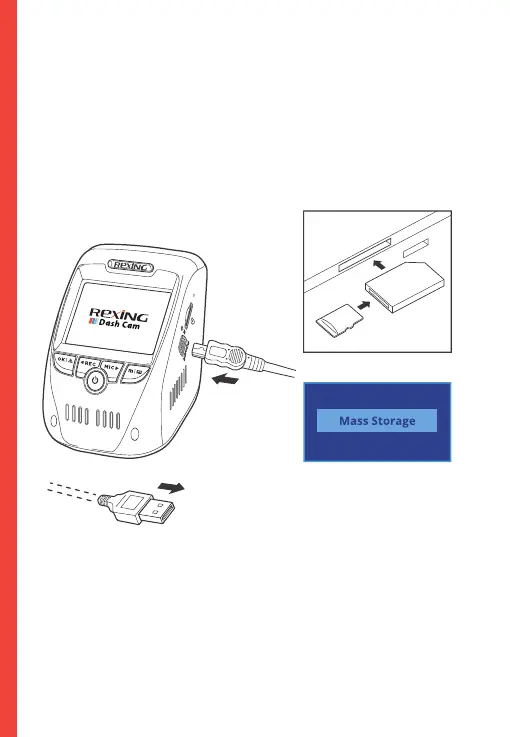
To playback a video on the computer either use an
SD card adapter or connect the device to the computer directly
using the USB cable.
To playback a video using an SD card adapter,
remove the memory card and insert it into an SD card adapter.
Place the adapter in the computer.
Connect USB
connector to
computer
Select Mass Storage
To playback a video using USB cable, connect the USB
Cable to the device and the computer. After the device powers
up, press the OK Button to select Mass Storage.
On the computer, navigate to device drive. The videos are
stored at: the “Front_xxx” and “Back_xxx” subfolders
respectively. Locked videos can be found on the memory card
under the “front_emr” and "back_emr" folder.



 To Next Page