Need help?
Do you have a question about the Rexing V5C and is the answer not in the manual?
Provides email and phone number for product assistance.
Links to official website, Facebook, and Instagram for updates.
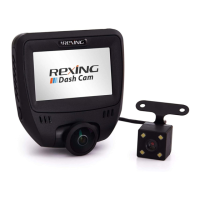
Lists the dash cam, car charger, and USB cable.
Includes the Quick Start Guide, Safety Guide, and cable management tool.
Identifies power, menu, navigation, and OK buttons on the camera.
Details USB, Micro SD, and rear camera connection ports.
Explains icons for recording status, MIC, Wi-Fi, and GPS signals.
Describes how resolution, time, and speed are shown.
Instructions on orienting and affixing the dashboard camera mount.
Guidelines for inserting the Micro SD card and compatibility.
Procedure for powering the device and formatting the memory card.
Steps for connecting the optional rear camera unit.
Instructions for placing the camera and managing the power cable.
How the device powers on automatically or manually.
Steps to enter system settings and modes.
Details on automatic recording and Emergency Record Mode (EMR).
How to view videos on the device or a computer.
Steps to connect to the dash cam via Wi-Fi using a mobile app.
How to use the GPS function for speed and location tracking.
Instructions for activating parking mode with a hardwire kit.
How to capture photos and delete them.
Information on the 12-month warranty and extension options.
Details on reaching customer service via email and phone.
Encourages users to share suggestions for improvement.
 General
| Brand | Rexing |
|---|---|
| Model | V5C |
| Category | Dash Cameras |
| Language | English |


 To Next Page