7
Step 4
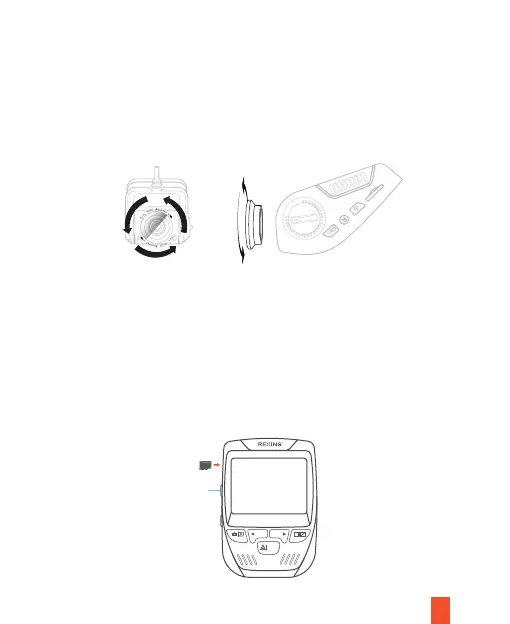
Install the CPL Filters
Step 5
Insert the Memory Card
Press the POWER
button for about 3
seconds to turn
the power off first
REC MIC
OK
4.1 Place the CPL filter on top of the dash cam's front and rear lens.
4.2 Use a small screwdriver to fix the CPL filter to the lens with screws (This
step is optional).
4.3 Hold and rotate the filters to adjust the level of glare.
The Rexing V1P SE accepts Class 10/ UHS-1 or higher Micro SD memory
cards up to 512GB. You will need to insert a memory card before recording.
Before inserting or removing a memory card, ensure you've powered down
the device.
Gently push the memory card in until you hear a click, and allow the spring
release to push the card out.



 To Next Page