To playback a video using USB cable, connect the USB Cable to the device and the
computer. After the device powers up, press the OK Button to select Mass Storage.
On the computer, navigate to device drive. The videos are stored at: \CARDV\MOVIE.
Select the video to playback.
13
Wi-Fi Connect
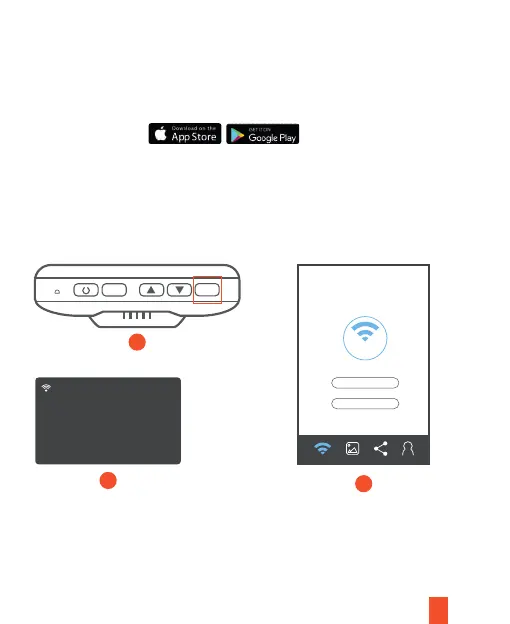
Download Rexing Connect app from the App Store/Google Play Store.
1. To access and exit the app, hold down OK Button
2. Open Wi-Fi settings on your phone, find “SSID” from the list, tap to connect.
(Default password: 12345678)
3. Open the Rexing Connect app, tap “Connect” to enter the realtime video
streaming page.
M
OK
WiFi
AP Mode
S ID:NVT_CARDVO437
Password: 12345678
Refresh WiFi_OFF
MAC: 3420030f0437
Connect
Wi-Fi Connect
3
2
1
Reset



 To Next Page