20
V. How to Edit the User Accounts
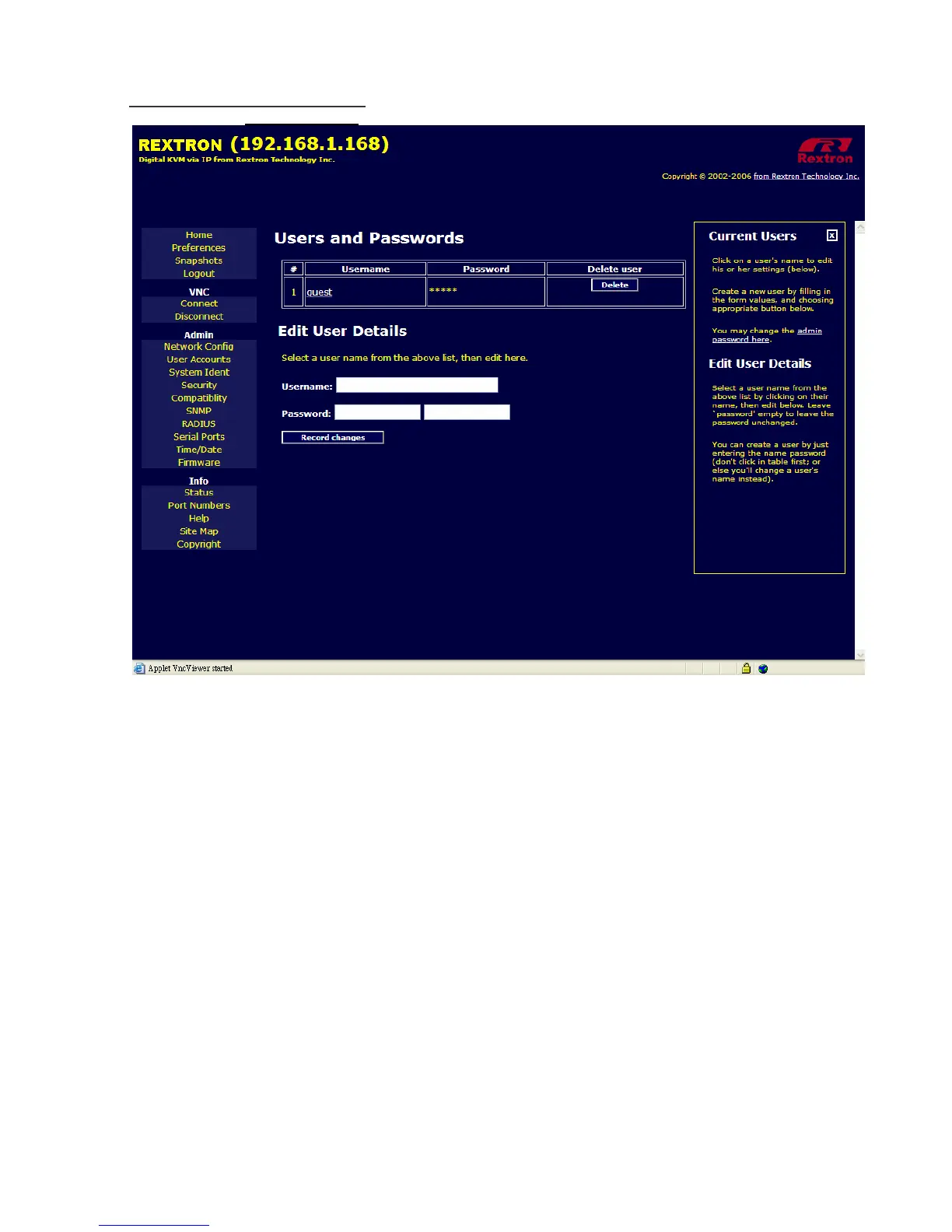
Please click on User Accounts
to get the following image.
This menu will allow you to add accounts other than admin to the system. These accounts will not
have the authority to change settings, but can access the Web interface and log in the VNC
console. Selecting Delete permanently removes the user from the system. If you enter values for
a user that does not already exist under Edit User Details, the system will create that user for you
when you click Record changes. If the user already exists, you will change the password for that
user.



 To Next Page