46
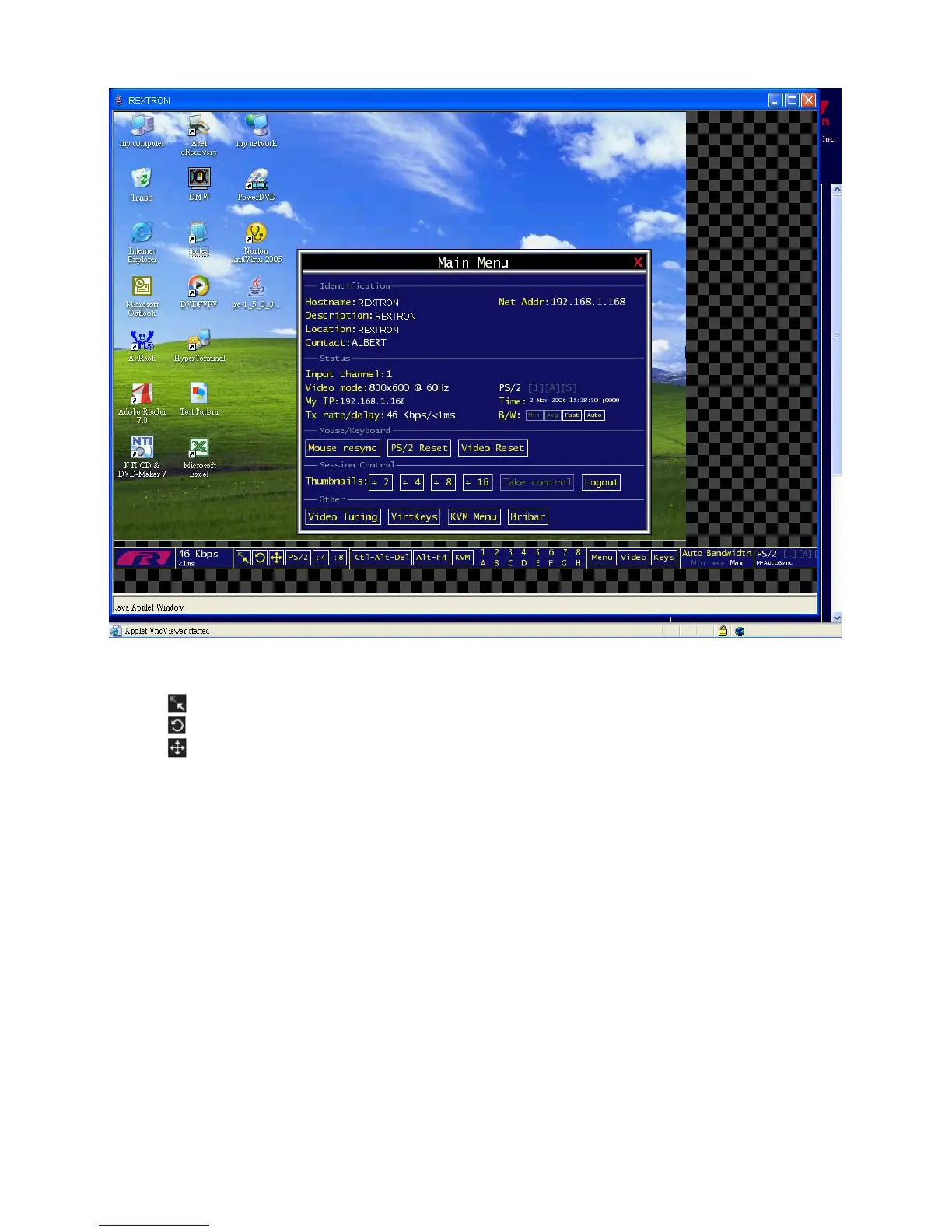
Bandwidth: Indicates current average bandwidth coming out of the Digital KVM via IP. The
second number measures round trip time (RTT) of the connection when it was first established.
Resync: Re-aligns the remote and local mouse points so they are on top of each other.
Redraw: Redraws the entire screen contents; occurs immediately.
Video Adjust: Adjusting the video phase automatically.
PS/2 Reset: Resets the PS/2 keyboard and mouse emulation. It’s very useful to recover failed
mouse and/or keyboard connections in PS/2 mode.
÷4, ÷8: Switches to thumbnail mode, at indicated size.
Ctrl-Alt-Del: Sends this key sequence to the host. It works immediately.
Alt-F4: Sends the key sequence to host (closes windows).
KVM: Calls up the KVM menu, refers to Chapter 4 for more informaton.
1~8, A~H: Select specific port simply by one click on the number.
Menu: Shows the main menu, refers to “Chapter 5, section D: How to Use the Main Menu” for
more information.
Video: Shows the video-tuning menu where the picture quality can be adjusted, refers to
“Chapter 5, section F: How to Use the Video Tuning Menu” for more information.
Keys: Shows the VirtKeys menu, which allows you to simulate pressing special keys such as
the Windows key or complex multi-key sequences, refers to “Chapter 5, section E: How to Use
the Virtkeys Menu” for more information.
Auto Bandwidth: Allows the user to select the proper bandwidth corresponds to the network
environment. Generally speaking, it’s recommended to select “Max” for the LAN users and
“Min” for the WAN users.



 To Next Page