MicroLite Receiver User Manual
Revision 1.1 21
______________________________________________________________
! WARNING – DO NOT OPEN THE MICROLITE!
The MicroLite contains no user serviceable parts. Do not open the
MicroLite housing. Failure to comply will result in voiding of the
warranty.
______________________________________________________________
4.3 Physical Installation
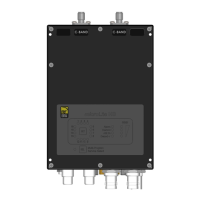
Remove microLite Receiver (MLR) from the case. The mounting bracket with MLR is
preassembled.
Attach MLR to the Magic Arm using tripod mount bracket.
Connect Video output as needed (BNC connector).
Connect audio output as needed (RCA jacks).
Connect RX antennas (larger sector directional) to the RF Inputs (N-Type).
Aim directional sector antennas in the general area of MLT operation.
Connect power source to the MLR using the power cable supplied.
Select MLR preset using the set button.


 To Next Page