26 Chapter 3 Software
Status Bar
The status bar (below the Test Area) displays various messages to alert the user of what the utility is
doing, as well as connections and disconnections between the utility a device.
Data Format Tab
This tab provides users the ability to format how the data on a card will be keystroked out by the
utility.
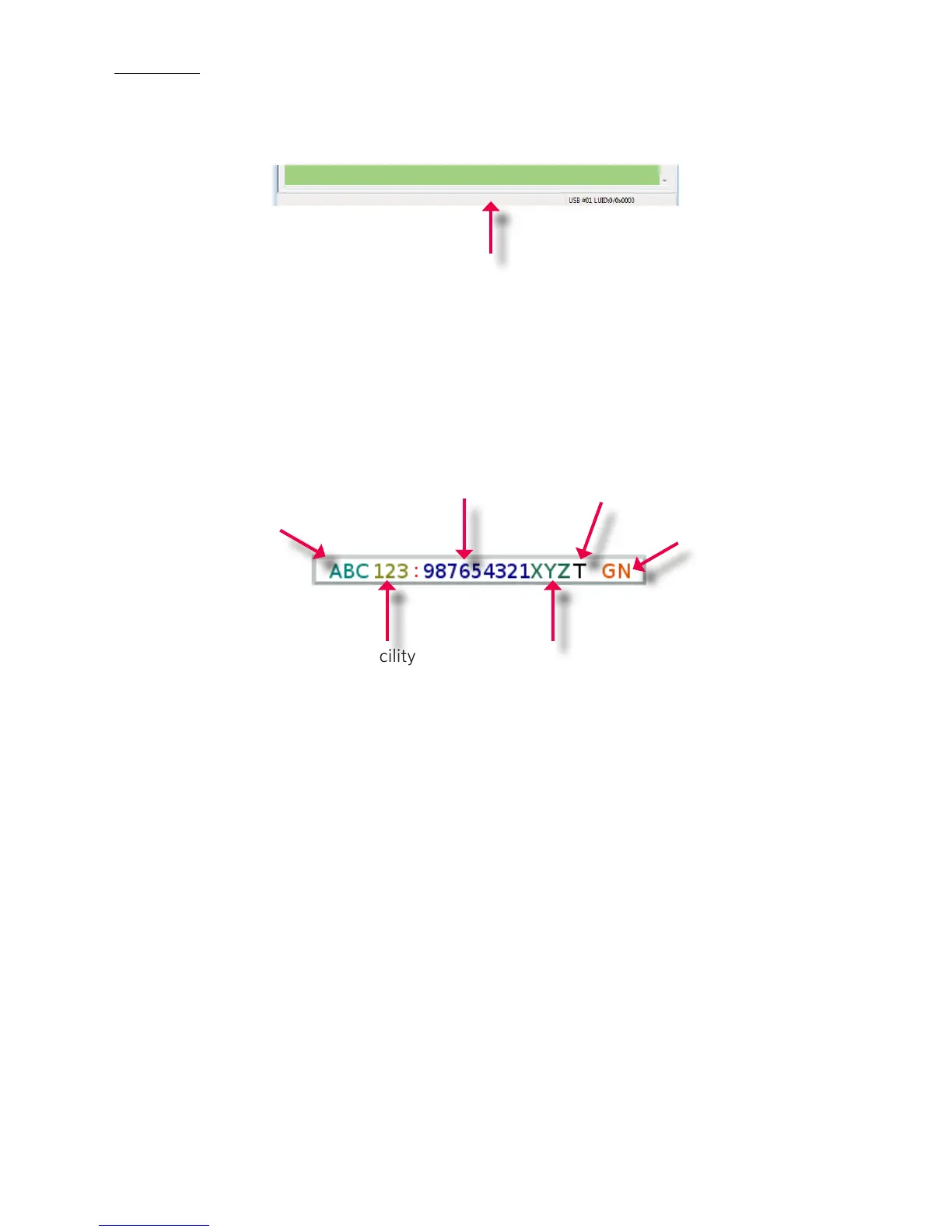
The above diagram illustrates the various characters that can be displayed upon a card detection by a
connected device.
The number portions of the diagram are values that are displayed from a card.
The letter portions of the character diagram are values that are formatted by the user through the
utility and are keystroked from the device.
Status Bar
ABC = Pre-Card
ID Delimeters- 3
Characters Max
123 = Facility
Access Code
(FAC)
987654321 =
Card ID Value
XYZ = Post Card
ID Delimeters
(Shared with
Pre-Card ID)
GN = Card Gone
Characters
(When card
leaves fields)
T = Termination
Character



 To Next Page