9
What’s In Your Part Number?
All RF IDeas reader part numbers follow a distinct system of categorization to allow for an ease of
differentiation between products.
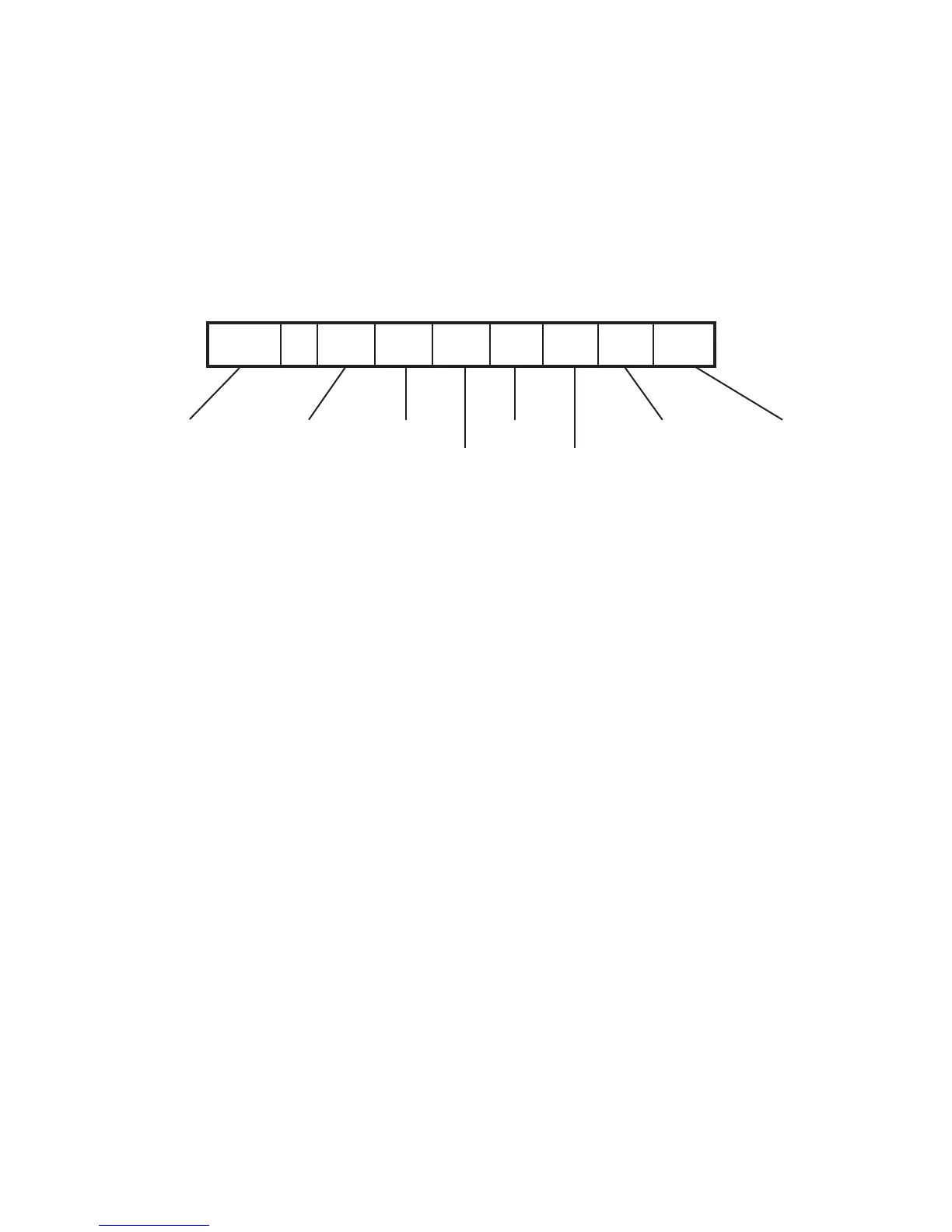
Below is the basic part number scheme.
RDR - 6 3 8 1 A K U
Reader Type: The reader type distinguishes between standard reader, OEM, converter, mag-stripe, or
a kit.
Frequency: RF IDeas’ access control readers are available in low-frequency 125 kHz (proximity) or
high-frequency 13.56 MHz (contactless).
Card Type: The card type allows for the selection of over 35 different card types for reader
compatibility (Please visit www.RFIDeas.com, choose a product and locate the Part Numbers tab for
specific device part numbers associated to card types).
Housing: This option provides the user to select the form factor housing for the desired reader. The
housings include; desktop, wall mount, USB dongle, PCMCIA, bare board, ExpressCard, or custom.
(For more on form factors, please visit www.RFIDeas.com)
Model: The model selection corresponds to the type of reader, whether it is a standard, writer
(13.56 MHz contactless only), playback (13.56 MHz contactless only), SDK, or analyzer.
Version: The version refers to the selection of either our standard or custom build.
Housing Color: The color category simply allows for the selection of either our black or pearl
housings. (Applies only to desktop and wall mount housings)
Interface: This option specifies the type of connection for the reader (i.e. USB, RS-232, PCMCIA, etc).
2
Hardware
Reader Type Frequency Card Type
Housing
Model
Version
Housing Color Interface



 To Next Page