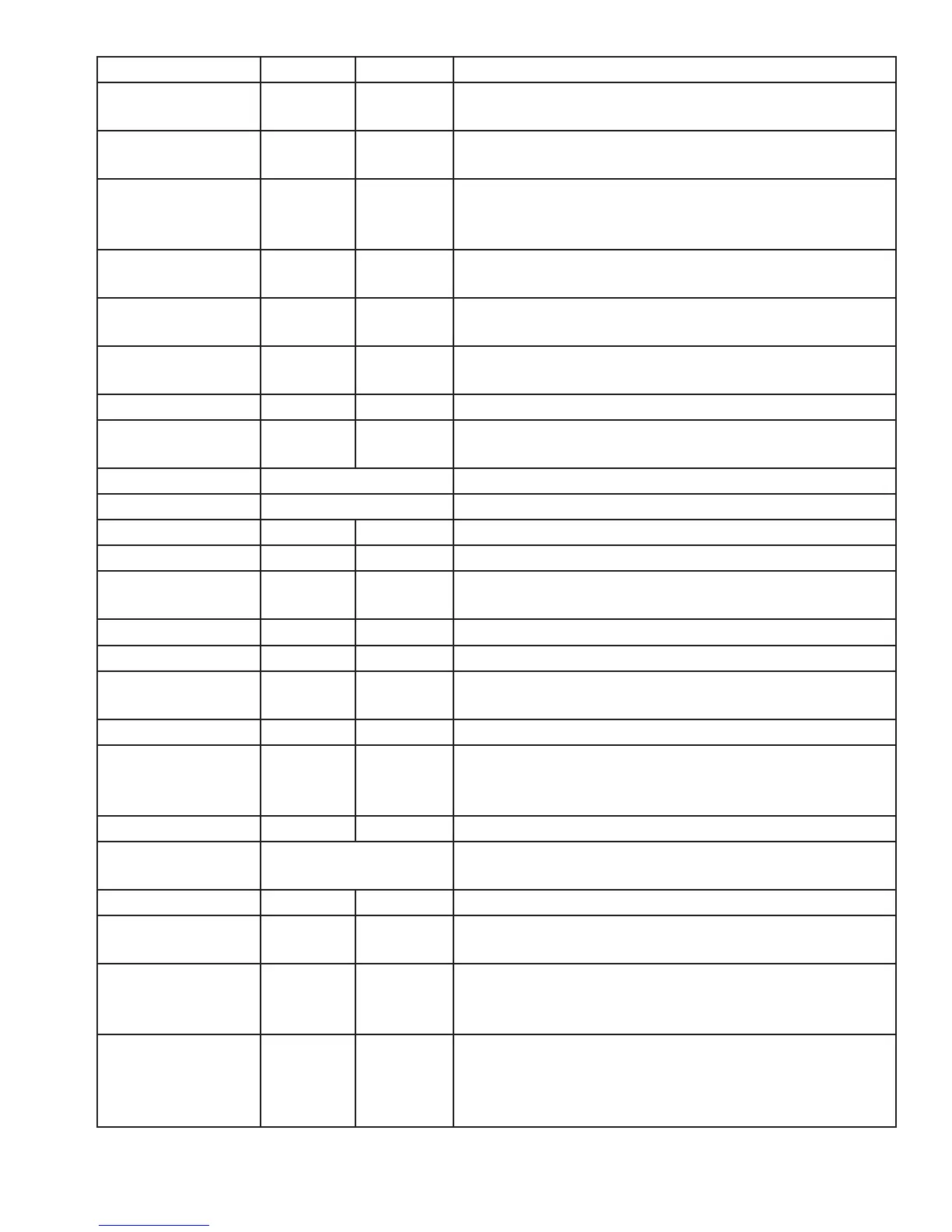
INT R/W Verify or Set the trailing character count
(0 to 3) u
CHAR R/W Verify or set end of line termination character
( A - Z, 0 - 9, a - z or ASCII \0x00 ….\0x0D)
CHAR R/W Verify or set separating character between the facil-
ity code and ID data( A - Z, 0 - 9, a - z or ASCII \0x00
….\0x0D) Ex: 123 ; 456789
CHAR R/W 1st character sent when card is removed
( A - Z, 0 - 9, a - z or ASCII \0x00 ….\0x0D)
CHAR R/W 2nd character sent when card is removed
( A - Z, 0 - 9, a - z or ASCII \0x00 ….\0x0D)
BOOL R/W IF True, enable echo of user input and use of backspace
key
BOOL R/W IF True, enable RF IDeas command prompt
INT (hex) R/W Verify or set the logical unique identifier as 16 bit INT
(0x0000..0xFFFF)
Function Read the device part number
Function Read firmware version (major . minor . variant)
BOOL R/W IF True, use 64 bit math on ID data
BOOL R/W IF True, use 64 bit math on facility code data
INT R/W Verify or set Length of facility code output
(up to 25 digits)
BOOL R/W IF True, enable facility code output as hex
BOOL R/W Enable output of facility code
BOOL R/W Set to True to separate ID and FAC. False processes ID
and FAC together.
BOOL R/W IF True, hex ID data is output in lowercase
BOOL R/W Verify or Set ID data length (0 to 25 digits) Note: If
value is shorter than actual Id length the left most
significant digits will be truncated
BOOL R/W IF True, enable ID data output as hex
Function View menu of commands, summary of output types
and variable options
BOOL R/W Beeper output control True=beep, False=silent
BOOL R/W Continuous read mode True=continuous
output, False=single output of credential data
BOOL R/W IF True, enable Quiet mode. (IE: Credential data is not
displayed) Note: data can still be retrieved using
function rfid:qid.
INT R/W
LED output control 0=off, 1=red, 2=green, 3=Amber
(Immediate out w\o write)
255=Automatic control by reader (requires write to
flash) red on standby, green when credential is read
52 Chapter 4 ASCII Command Protocol



 To Next Page