General Information
Page 10 of 28 HELP ALERT Fob User Guide
0510-0543-B
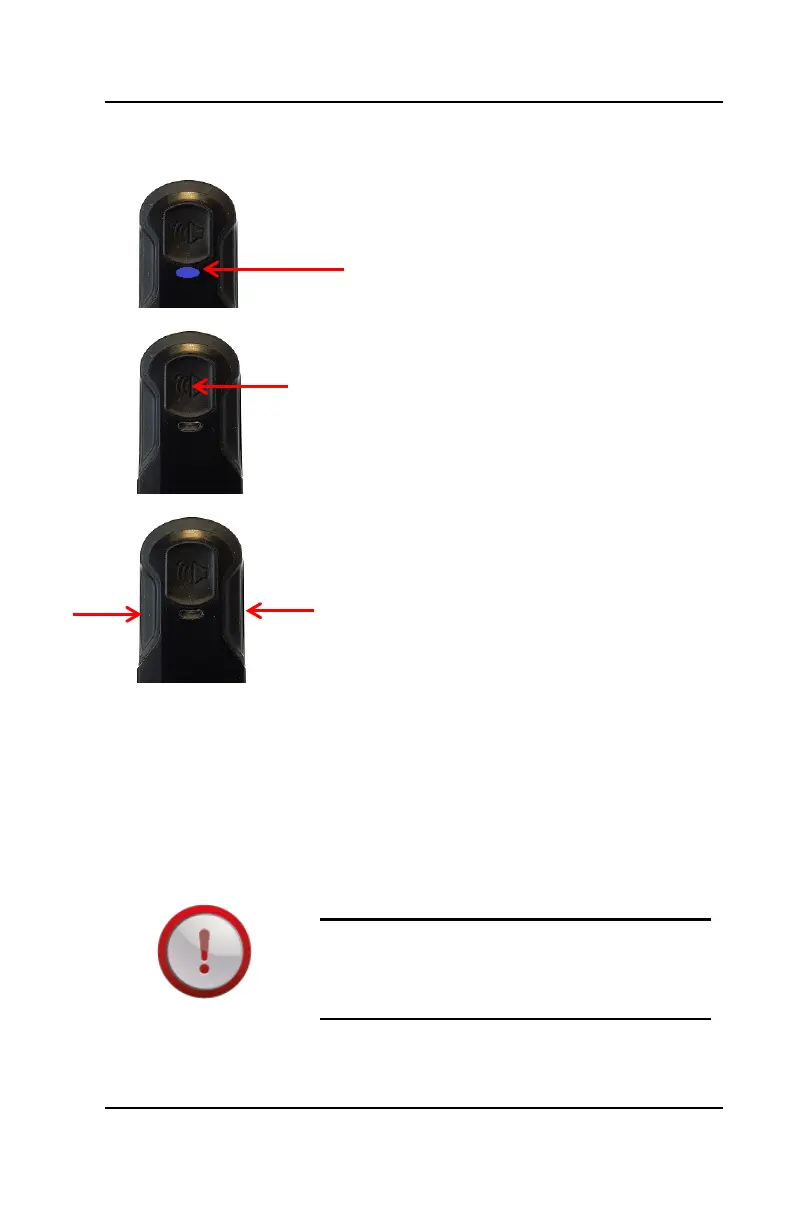
The LED on the device will provide
feedback on to what the device is doing
(see the LED Light Guidelines for
additional information).
The device has 3 buttons:
The primary button on the top activates
an alarm within the software.
The two side buttons will activate a
secondary alarm. The secondary
alarm is activated by simultaneously
pressing and holding both side buttons
for ~2 seconds. Once activated, the
device will vibrate to let the user know
the alarm has been sent.
NOTE: If Mass Notification is enabled and
configured in the software, the Mass
Notification event will occur when both
buttons are pressed.
If Mass Notification is not configured in the
software, then the secondary button
activation will trigger a Priority Alert.
RADIO FREQUENCY: The radio
frequency (RF) characteristics of certain
building materials may interfere or block
the device’s signal.



 To Next Page