Copyright 2011-2020, RFXCOM
RFXtrx Version 5.68 page 48 / 70
14. MCZ pellet stove.
RFXtrx433/RFXtrx433E:
In the Type2 firmware zip file which is available on the downloads page you will find a special
firmware RFXtrxMCZ.hex that enables you to know the ID of the your MCZ remote.
Flash the RFXtrxMCZ.hex firmware in your RFXtrx433/E/XL and start RFXmngr.
RFXtrx433XL:
In RFXmngr select Receiver Freq 434.50 and enable MCZ
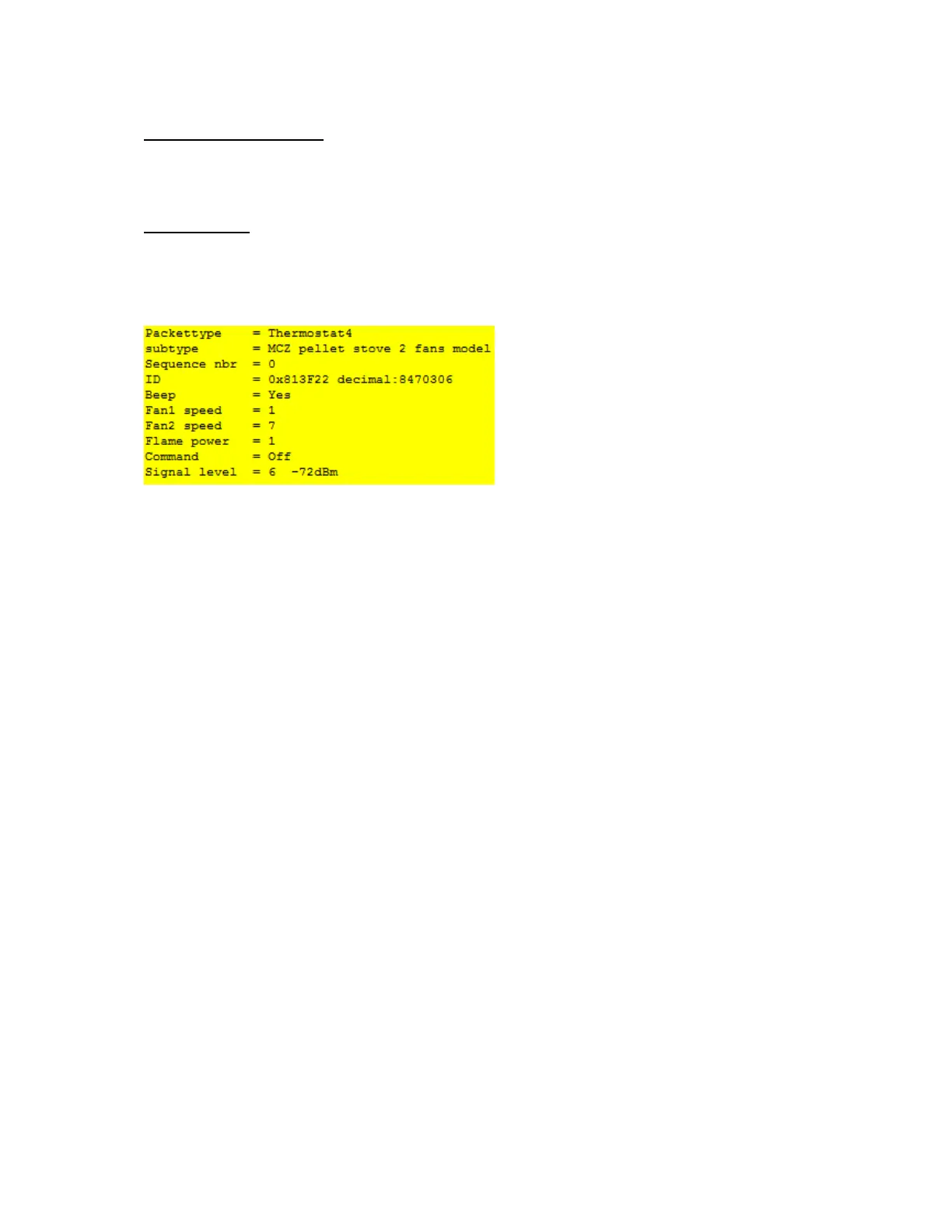
Transmit a command with the MCZ remote and you will receive the information.
The ID in this example is 81 3F 22
Flash now Type2 or Ext firmware in your RFXtrx433/RFXtrx433E and you can control your MCZ
stove using the received ID.
Important: remove the batteries from the original remote before you start using the
RFXtrx433/E/XL to control the MCZ stove!


 To Next Page