mini+ User Manual
5.1.3 Connect Wirelessly with Your Router
The mini+ provides wireless control, so you can control it from a greater distance when the mini+ is not in your
immediate vicinity. A wireless router is required to use this feature. The computer receives the wi-fi signal from
the wireless router you connect the mini+ to.
Steps of wireless connection:
.
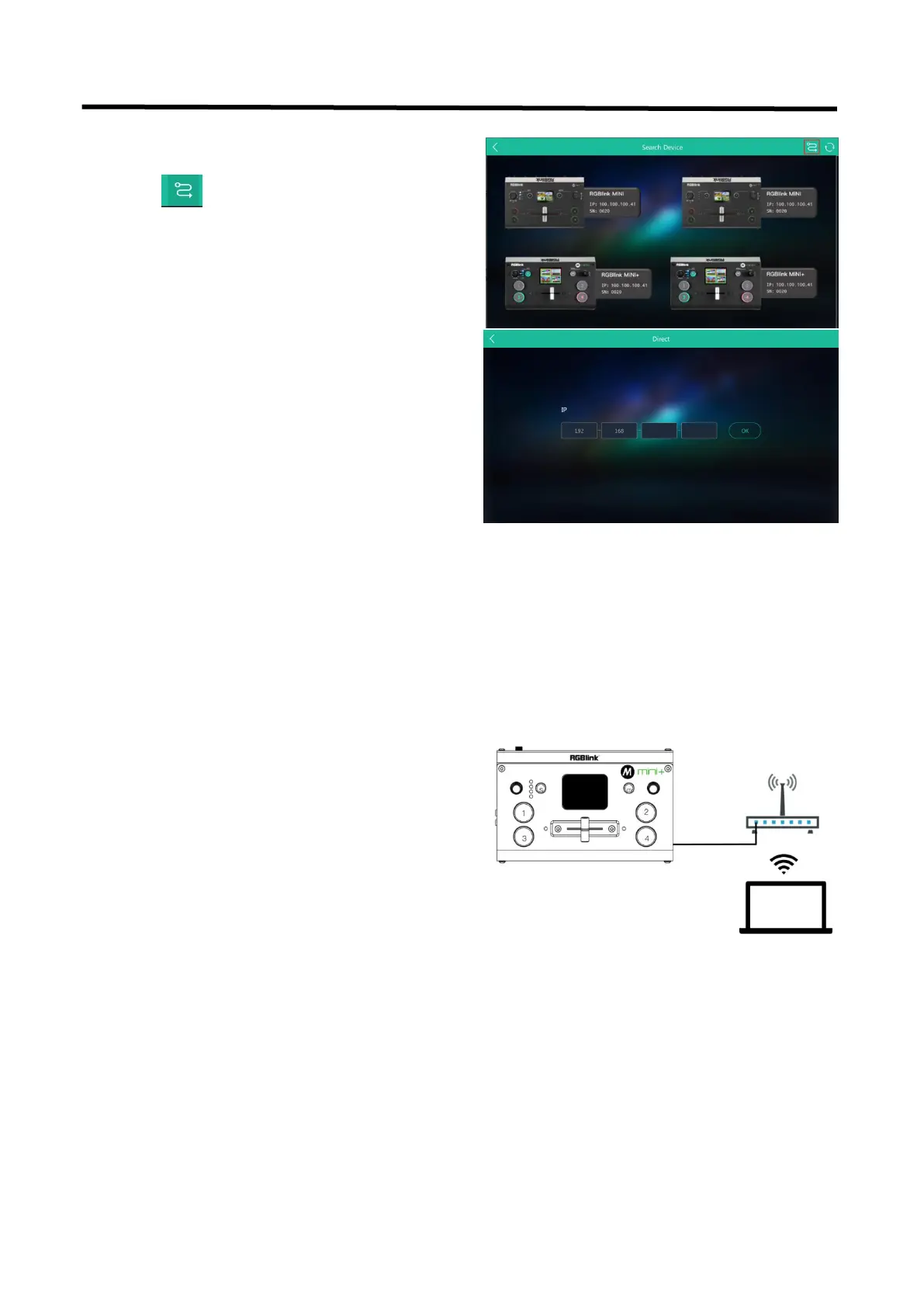
1. Open XPOSE mini and click on the icon in the upper
2. Enter the IP address of the currently connected
1. Connect the mini+ to the router's LAN port.


 To Next Page