Description of the P2 Oxygen Concentrator
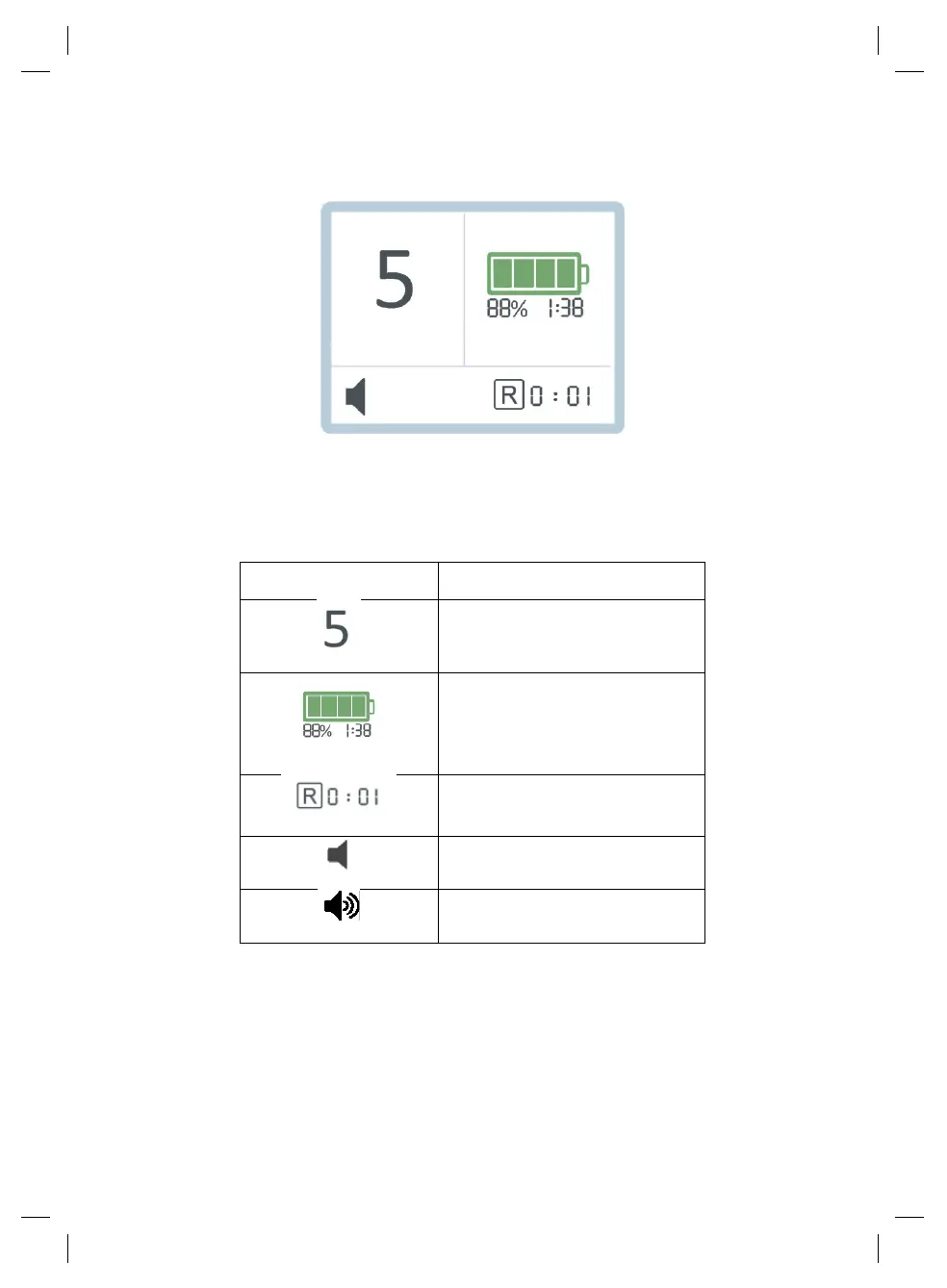
The home screen will display the icons as in the example below:
The icons on the display panel are described as follows:
Current flow setting (range is
from 1 to 5)
Battery charge level:
● Battery percentage remaining
● Battery time remaining (in
hours:minutes)
Device runtime since powered
on (in hours:minutes)
Additionally, the screen will also display the following icons:


 To Next Page