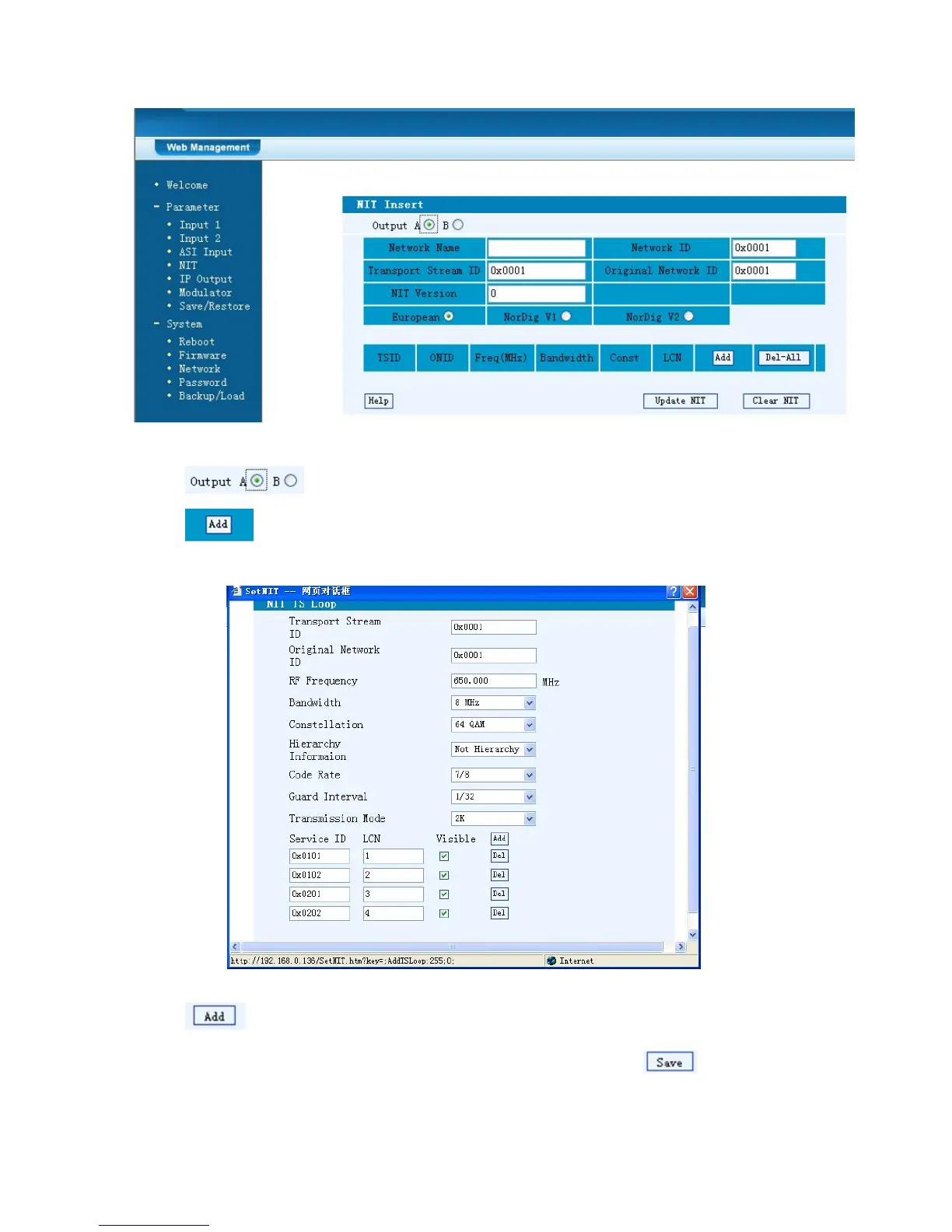
Figure-5
Select the carrier output channel for the inserted NIT.
Click “Add” from this page, it will display the screen as Figure-6 where it
requires to add Service ID and configure other parameters for the programs.
Figure-6
Here by clicking “Add”, users can set the program LCN in its respective
field. After setting all the data, users need to click on “Save” to save the



 To Next Page