BCS-160User Manual V1.6
34
/
57
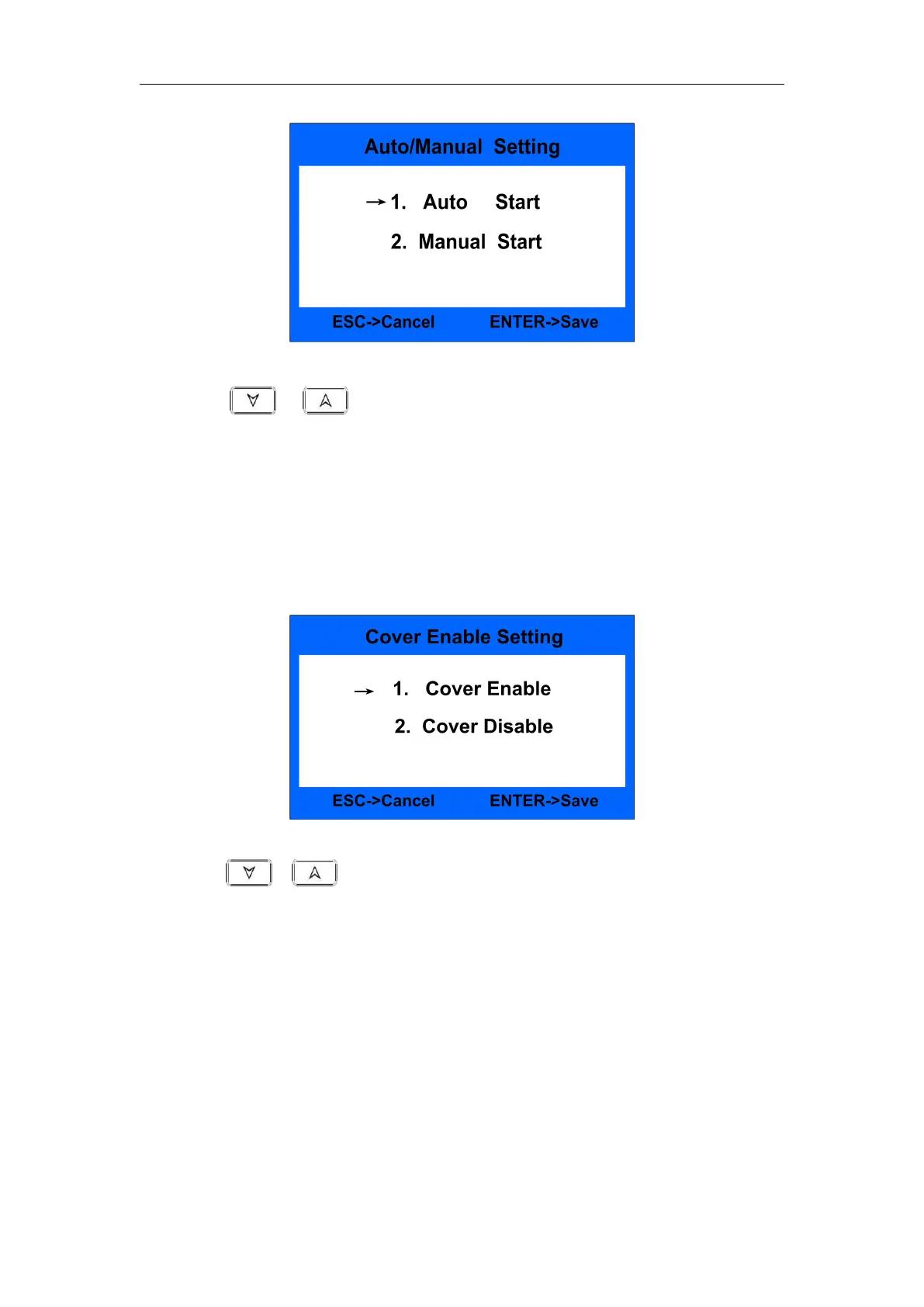
Fig.40
Press or key to choose automatic machine start or manual
machine start. After setting, press ENTER key to save. Press ESC will quit from
the interface.
The default setting is auto start.
8.5.5 Dust proof cover setting
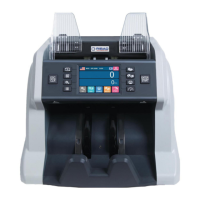
Under Fig.35 interface to choose item 5. Cover and then press ENTER key to
come into the following setting interface, shown as Fig.41:
Fig.41
Press or key to choose cover ON/OFF. After setting, press ENTER
key to save. Press ESC will quit from the interface.
The default setting is cover disable.
8.5.6 Default setting
Under Fig.36 interface to choose item 6. Default setting and press ENTER
key to confirm. After inputting the passwords 1234, it will come into the
following interface, shown as Fig.42:


 To Next Page