EasyManua.ls Logo

Richmar Quattro 2.5 - User Manual

Richmar Quattro 2.5
55 pages
Print Icon
To Next Page IconTo Next Page
Loading...
INSTRUCTION MANUAL
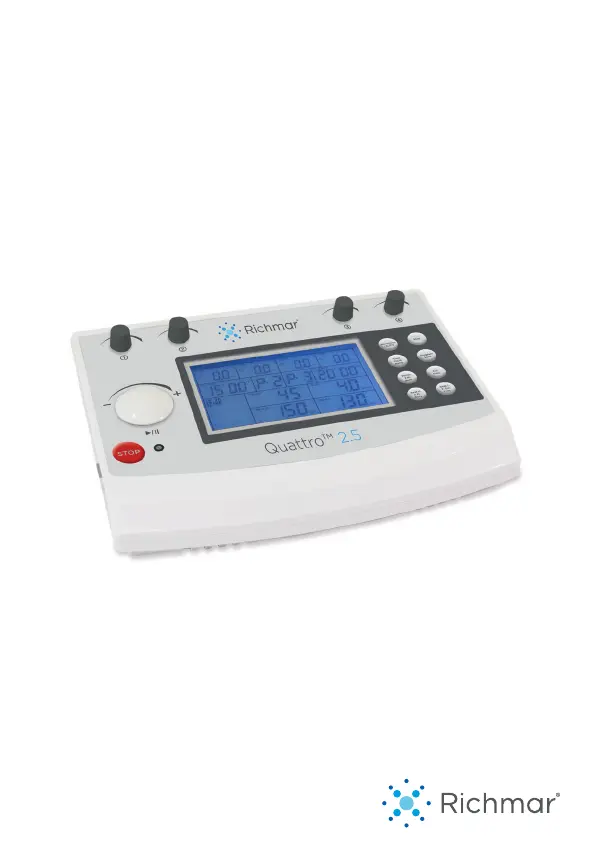
Quattro 2.5

Questions and Answers

  • W
    William AllenAug 2, 2025
    Why is the stimulation uncomfortable when using Richmar Quattro 2.5?
    • M
      matthew69Aug 2, 2025
      Uncomfortable stimulation when using Richmar Medical Equipment can occur due to several reasons: * The intensity might be too high, so try decreasing it. * The electrodes may be too close together; reposition them. * Damaged or worn electrodes or lead wires can cause discomfort, consider replacing them. * If the electrode active area size is too small, replace the electrodes with ones that have an active area no less than 25.0cm2.
  • S
    smithdawnAug 5, 2025
    What to do if Richmar Medical Equipment displays “E3” on LCD?
    • A
      aaronspenceAug 6, 2025
      If your Richmar Medical Equipment displays “E3” on the LCD, it means the device has detected that it is over the temperature limit. The device will automatically stop treatment. Wait several minutes before using it again.
  • B
    bergerchristopherAug 10, 2025
    What to do if Richmar Quattro 2.5 stimulation stops?
    • J
      Joshua HarrisAug 10, 2025
      If the stimulation stops when using your Richmar Medical Equipment, it could be due to poor electrode contact. Try reapplying the electrodes and secure them firmly. It could also be caused by damaged or worn electrodes or lead wires, in which case you should replace them.
  • J
    Joseph WilsonAug 14, 2025
    How to fix weak stimulation with Richmar Quattro 2.5?
    • K
      kim42Aug 14, 2025
      Weak stimulation with Richmar Medical Equipment can be due to a couple of things. First, check your electrodes. If they are dried out or contaminated, replace them. Also, ensure proper placement—electrodes must be at least 2 inches and no more than 6 inches apart, per channel. Another cause could be old, worn, or damaged lead wires, which would need to be replaced.
  • T
    Thomas SmithAug 23, 2025
    What to do if Richmar Quattro 2.5 Medical Equipment displays “E1” or “E2” on LCD?
    • S
      steelerebeccaAug 23, 2025
      If your Richmar Medical Equipment displays “E1” or “E2” on the LCD, it indicates a hardware problem. Try restarting the device.
  • W
    williamrussellAug 27, 2025
    How to fix Richmar Quattro 2.5 displays that fail to light up?
    • J
      Jimmy HamiltonAug 27, 2025
      If the displays on your Richmar Medical Equipment fail to light up, it may be due to an adapter contact failure. Ensure the adapter is connected properly and check that all contacts are in place and not broken.
  • B
    Brian GraySep 10, 2025
    What to do if Richmar Quattro 2.5 Medical Equipment displays “E5” on LCD?
    • S
      Stephanie CastilloSep 12, 2025
      If your Richmar Medical Equipment displays “E5” on the LCD, it indicates a memorizer failure. Restart the device. If the problem persists, contact the manufacturer or distributor.

Summary

General Information

General Description

Provides an overview of the microprocessor-controlled Quattro 2.5 device and its capabilities.

Indications for Use

Details the medical conditions for which the Quattro 2.5 device can be used.

Safety Information

Contraindications

Lists patients or conditions where the device should not be used to prevent harm.

Warnings

Highlights critical warnings to ensure safe operation and prevent injury.

Cautions

Details important cautions to be observed during device operation and handling.

Adverse Reactions

Describes potential side effects or adverse reactions that may occur during or after treatment.

Precautions

Regulatory and Usage Precautions

Covers legal restrictions, long-term effects, and general usage guidelines for the device.

Device Presentation

Device Construction

Details the physical construction and external components of the Quattro 2.5 device.

User Interface

Explains the device's user interface, including the LCD display and its various indicators.

Installation

Pre-Use Checks and Accessories

Guide to unpacking, checking accessories, and preparing the device before initial use.

Power Connection and Switching

Instructions for connecting the power adapter and switching the device on and off.

Operation

Pre-Treatment Procedures

Steps to ensure patient readiness and proper conditions before starting a treatment session.

Electrode Placement and Types

Guidance on placing electrodes correctly and details on self-adhesive and rubber electrode types.

Quick Set-Up Procedure

Step-by-step guide for quickly setting up the device for electrical stimulation.

Using Preset Programs

Information on selecting and using the device's 50 preset programs for various conditions.

4-Pole Interferential Stimulation Setup

Procedure for setting up and performing 4-Pole Interferential stimulation.

IF 2-P Interferential Stimulation Setup

Procedure for setting up and performing IF 2-P Interferential stimulation.

EMS S;A Stimulation Setup

Procedure for setting up and performing EMS S/A stimulation.

TENS Stimulation Setup

Procedure for setting up and performing TENS stimulation.

Russian S;A Stimulation Setup

Procedure for setting up and performing Russian S/A stimulation.

Specifications

General Specifications

Lists the general technical specifications including power, dimensions, and environmental conditions.

Waveform Specifications

Provides detailed technical parameters for each waveform type supported by the device.

Cleaning and Care

Skin Care Recommendations

Tips for preparing the skin to avoid irritation and ensure optimal treatment.

Device and Electrode Cleaning

Instructions on how to properly clean the device, electrodes, and accessories.

Lead Wires and Maintenance

Guidance on cleaning lead wires and essential maintenance procedures for the device.

Troubleshooting

Problem Resolution Guide

A table outlining common problems, their possible causes, and recommended solutions.

Storage and Disposal

Device Storage Guidelines

Recommendations for storing the device properly to maintain its condition.

Proper Disposal Procedures

Information on how to dispose of the device and batteries in accordance with regulations.

Electromagnetic Compatibility (EMC)

EMC Emissions and Immunity Guidance

Provides guidance and declarations regarding the device's electromagnetic emissions and immunity.

Glossary of Symbols

Symbol Meanings and Explanations

Defines the various symbols used throughout the instruction manual and on the device.

Warranty Information

Warranty Coverage and Claims

Details the warranty period, coverage, and procedures for making a warranty claim.

Warranty Exclusions and Serial Number

Outlines what is excluded from warranty coverage and the significance of the serial number.

Richmar Quattro 2.5 Specifications

General IconGeneral
BrandRichmar
ModelQuattro 2.5
CategoryMedical Equipment
LanguageEnglish

Related product manuals