EasyManua.ls Logo

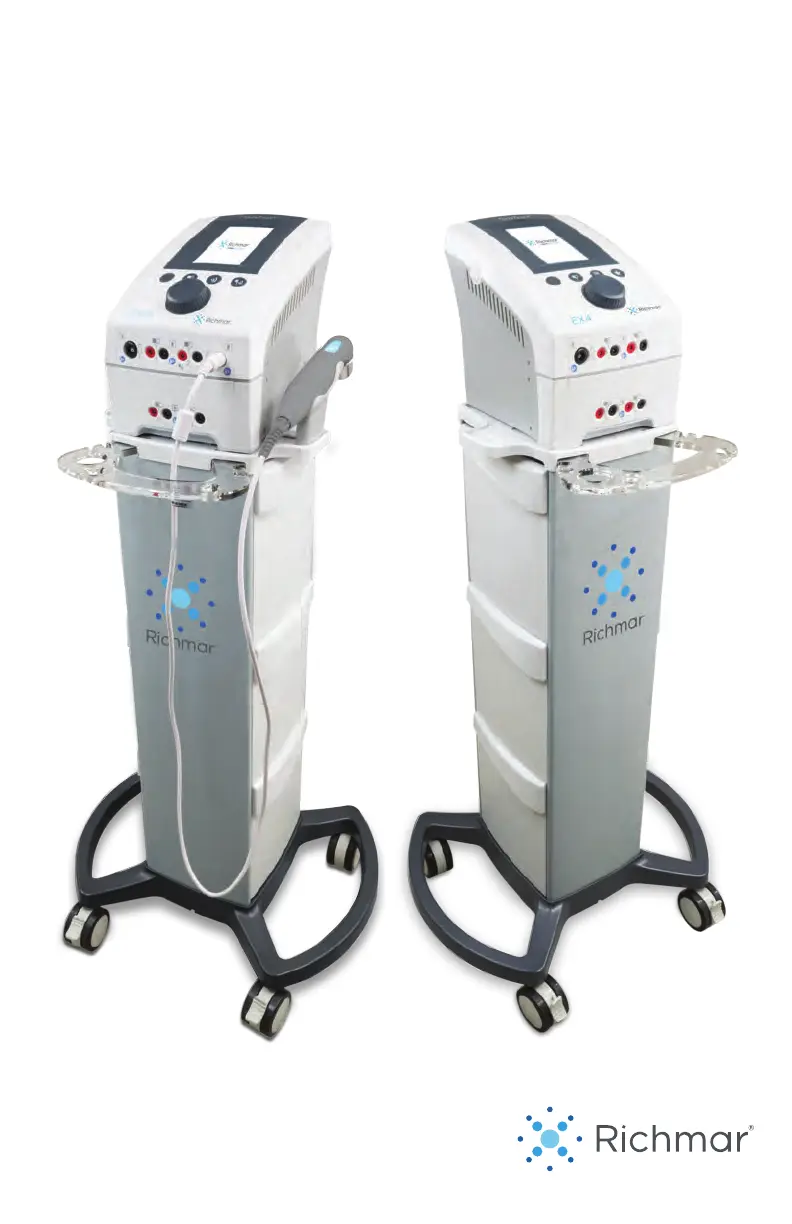
Richmar TheraTouch CX4 - User Manual

Default Icon
52 pages
Print Icon
To Next Page IconTo Next Page
Loading...
OPERATION MANUAL
TheraTouch® CX4/EX4

Table of Contents

Questions and Answers

  • A
    Alexandra PearsonAug 19, 2025
    How to fix Richmar Medical Equipment displays that fail to light up?
    • O
      Omar Jacobs Jr.Aug 19, 2025
      If the displays on your Richmar Medical Equipment fail to light up, it may be due to adapter contact failure. Ensure the adapter is connected and check that all contacts are in place, not broken, and properly connected.
  • C
    cynthia21Aug 21, 2025
    What to do if there is improper operation of the Richmar TheraTouch CX4 ultrasound head?
    • J
      James KingAug 21, 2025
      To resolve improper operation of the Richmar Medical Equipment ultrasound head, ensure you are using enough ultrasound gel on the applicator and moving it around as instructed in the manual. Allow the applicator to cool off, and then try again.
  • S
    Shannon KelleyAug 25, 2025
    What to do if Richmar TheraTouch CX4 device does not follow setting parameters?
    • B
      Bobby BenjaminAug 25, 2025
      If the Richmar Medical Equipment device does not follow the setting parameters, stop the electrotherapy and then restart the device.
  • T
    Tanner ThompsonAug 26, 2025
    What to do if the storage for favorites is full on Richmar Medical Equipment?
    • B
      Brittney ParkerAug 27, 2025
      If the storage for favorites is full on your Richmar Medical Equipment, delete some of the favorite programmings.
  • D
    Debra MayoAug 28, 2025
    What to do if Richmar Medical Equipment device cannot read the SD contents?
    • E
      edwardsstephanieAug 28, 2025
      If the Richmar Medical Equipment device cannot read the SD contents, restart the device.
  • N
    Nina DanielsAug 30, 2025
    What to do if there is no electrode load detected on Richmar TheraTouch CX4?
    • E
      Emily ChenAug 30, 2025
      If there is no electrode load detected on your Richmar Medical Equipment, check the electrode pads and lead wires. You may need to change the lead wires or electrodes.
  • A
    Amy RobinsonSep 1, 2025
    What to do if the self check has failed on Richmar TheraTouch CX4?
    • D
      Danielle JenkinsSep 1, 2025
      If the Richmar Medical Equipment self check has failed, restart the device.
  • A
    Abigail CookSep 3, 2025
    What to do if the ultrasound applicator is not connected well on Richmar Medical Equipment?
    • X
      xmillerSep 3, 2025
      Check the connection of the Richmar Medical Equipment ultrasound applicator.
  • K
    Katie ClarkSep 5, 2025
    What to do if the output current exceeds the setting current value on Richmar TheraTouch CX4 Medical Equipment?
    • E
      ebenitezSep 5, 2025
      If the output current exceeds the setting current value on your Richmar Medical Equipment, restart the device.
  • M
    Melissa ValentineSep 8, 2025
    What to do if the pulse duration of the output waveform exceeds the setting pulse duration value on Richmar TheraTouch CX4?
    • E
      ericfritzSep 8, 2025
      If the pulse duration of the output waveform exceeds the setting pulse duration value on your Richmar Medical Equipment, restart the device.

Summary

SAFETY PRECAUTIONS

General Device Usage Restrictions

Outlines critical DANGER, WARNING, and CAUTION points, including conditions and body areas to avoid for safe operation.

Electrode Precautions

Provides guidelines for safe electrode application, usage, and lists methods to avoid.

Electrotherapy and Ultrasound Warnings

Details specific warnings related to the use of electrotherapy and ultrasound therapy modes.

INTENDED USE

Indications and Contraindications

Lists conditions for which electrotherapy and ultrasound are indicated and contraindicated.

WAVEFORM SPECIFICATIONS

ULTRASOUND THERAPY

OPERATING INSTRUCTIONS

Device Controls and Symbols

Identifies controls for Thera Touch® EX4 and explains device symbols.

TheraTouch CX4 Controls

Identifies and describes the physical controls and buttons on the TheraTouch® CX4.

PRODUCT DESCRIPTION

APPLICATION INFORMATION

Provides guidance on applying therapy and using accessories.

Electrotherapy Application

Details specific application information and precautions for electrotherapy treatments.

APPLICATION INFORMATION

Electrotherapy Setup: Clinical Protocols

Guides on setting up electrotherapy using clinical protocols.

NAVIGATION

Electrotherapy Protocol Details

Details selecting protocols, information access, channel selection, and parameter adjustment.

Electrotherapy Treatment Management

Guides on adjusting treatment time, starting, pausing, continuing, stopping, and saving electrotherapy settings.

ULTRASOUND THERAPY - APPLICATION

ULTRASOUND THERAPY SET-UP - CLINICAL PROTOCOLS

Guides on setting up ultrasound therapy using clinical protocols.

ULTRASOUND THERAPY SET-UP - CLINICAL PROTOCOLS

Ultrasound Protocol and Parameters

Details selecting protocols, information access, parameters, and treatment time adjustment.

OPERATING DETAILS

MAINTENANCE

Cleaning Procedures

Provides instructions for cleaning the device, display panel, and general cleaning advice.

TROUBLESHOOTING

Error Codes

Lists error codes, their reasons for occurrence, and recommended solutions.

Technical Maintenance and Standards

Outlines technical maintenance, safety/performance standards, and device classification.

WARRANTY

Richmar TheraTouch CX4 Specifications

General IconGeneral
CategoryMedical Equipment
Channels4
Electrical Stimulation Channels4
Ultrasound Frequency1 MHz and 3 MHz
PortabilityPortable
Device TypeCombination Therapy Device
ModalityElectrical Stimulation, Ultrasound
Output PowerUp to 2 W/cm²
WaveformInterferential, Premodulated, Russian, Biphasic, Microcurrent, High Volt
DisplayLCD Screen
ModesContinuous and Pulsed
Intensity LevelsAdjustable
TimerYes, adjustable
Battery TypeRechargeable Battery

Related product manuals