EasyManua.ls Logo

Richmar ComboCare - User Manual

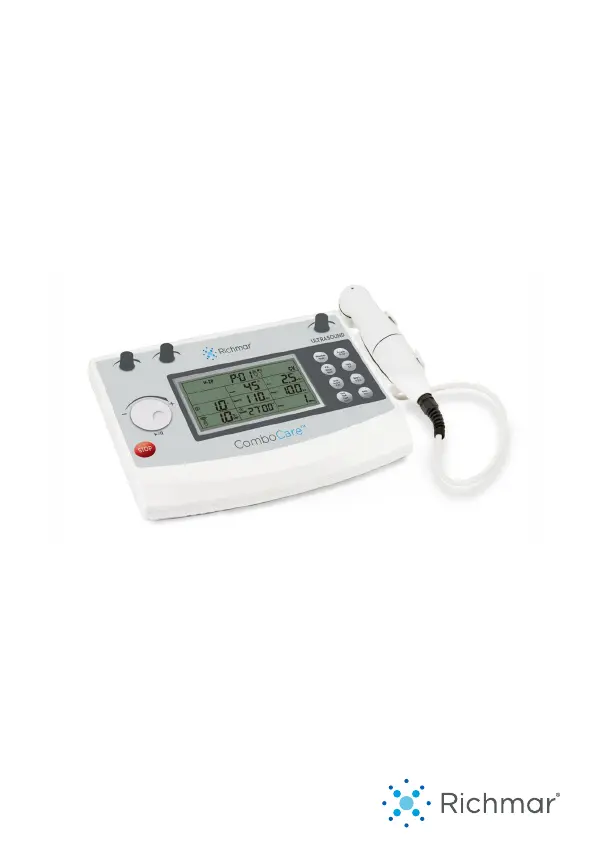
Richmar ComboCare
67 pages
Print Icon
To Next Page IconTo Next Page
Loading...
INSTRUCTION MANUAL
ComboCare

Questions and Answers

  • J
    jasonchandlerAug 3, 2025
    Why is stimulation from Richmar ComboCare so uncomfortable?
    • J
      Juan BrownAug 4, 2025
      If the stimulation from your Richmar Medical Equipment is uncomfortable, it might be due to several reasons. First, the intensity could be too high, so try decreasing it. Second, the electrodes might be too close together; reposition them to create more space. Third, the electrode's active area size might be too small; replace them with electrodes that have an active area no less than 25.0cm2. Finally, damaged or worn electrodes or lead wires can cause discomfort, so replace them if necessary.
  • J
    Jonathan DavisAug 8, 2025
    What to do if stimulation stops on Richmar ComboCare Medical Equipment?
    • K
      Kendra WhiteAug 8, 2025
      If the stimulation from your Richmar Medical Equipment stops, it could be due to poor electrode contact. Try reapplying the electrodes and securing them firmly. Alternatively, the electrodes or lead wires may be damaged or worn, requiring replacement.
  • R
    Roger WallAug 11, 2025
    Why is the stimulation so weak on my Richmar Medical Equipment?
    • B
      Brian PhelpsAug 12, 2025
      If the stimulation from your Richmar Medical Equipment feels weak, there are a couple of potential causes. First, the electrodes may be dried out or contaminated, in which case you should replace them. Also, ensure correct placement of electrodes: they must be at least 2” and no more than 6” apart, per channel. Second, old, worn, or damaged lead wires can weaken stimulation, so replace them if necessary.
  • L
    Leslie PhillipsAug 16, 2025
    What does it mean when “E5” displays on LCD of Richmar Medical Equipment?
    • R
      Robert HernandezAug 16, 2025
      If your Richmar Medical Equipment displays “E5” on the LCD, it indicates a memorizer failure. Try restarting the device. If the problem persists after restarting, further assistance is needed.
  • H
    Heather MendozaAug 20, 2025
    What does it mean when “E3” displays on LCD of Richmar Medical Equipment?
    • M
      Michael ByrdAug 21, 2025
      If your Richmar Medical Equipment displays “E3” on the LCD, it means the device has detected that it is over the temperature limit. The device will automatically stop treatment. Please wait several minutes before using it again.
  • C
    Christopher WilliamsAug 25, 2025
    What does it mean when “E1” or “E2” displays on LCD of Richmar Medical Equipment?
    • E
      Emily DavisAug 25, 2025
      If your Richmar Medical Equipment displays “E1” or “E2” on the LCD, it indicates a hardware problem. Try restarting the device.
  • A
    Amy RobinsonAug 29, 2025
    How to fix Richmar ComboCare Medical Equipment when displays fail to light up?
    • K
      Keith PriceAug 29, 2025
      To address the issue of Richmar Medical Equipment displays failing to light up, ensure the adapter is properly connected. Check that all contacts are in place and not broken.

Summary

General Information

General Description

Overview of the ComboCare™ device, its modes, and therapies.

Introduction to This Manual

Purpose of the manual for users, emphasizing reading for proper use.

Indications For Use

Lists medical conditions treatable with Therapeutic Ultrasound, TENS, IFC, EMS, and Russian modes.

Important Safety Information

Warnings, Cautions, and Adverse Reactions

Details contraindications, warnings, cautions, and potential adverse effects of device use.

Device Presentation and Interface

Panel for Front View

Identifies and describes the components and controls on the device's front panel.

User Interface Explained

Explains the device's display, symbols, and indicators for user interaction.

Installation and Setup

Connecting the Power Adapter

Step-by-step guide for connecting the power adapter and ensuring proper voltage.

Switching the Device On and Off

Instructions on how to power the device on and off correctly.

Device Operation

Pre-Treatment Checks

Pre-treatment checks including patient condition, skin inspection, and contraindications.

Quick Set-up for Electrical Stimulation

Step-by-step guide for setting up and using electrical stimulation therapies.

Quick Set-up for Combo Therapeutic

Instructions for setting up and performing combined ultrasound and electrical stimulation.

Default Parameters Overview

Details default parameter settings for various waveforms like Interferential, TENS, EMS, and Russian.

Stimulation Set-Up Procedures

Comprehensive guide for setting up specific stimulation types like IF-4P, IF-2P, TENS, EMS, Russian, and Ultrasound.

Cleaning, Care, and Maintenance

Skin Care Recommendations

Advice to prevent skin irritation, including cleaning and hair management before treatment.

Cleaning the Device and Accessories

Instructions on how to safely clean the main unit, electrodes, and sponges.

Lead Wires and Cables Care

Proper methods for cleaning lead wires and cables to ensure longevity and safety.

Device Maintenance and Repairs

Information regarding authorized maintenance and repairs to ensure device integrity.

Troubleshooting and Specifications

Troubleshooting Common Issues

Lists common problems, their possible causes, and solutions for the device.

General Device Specifications

Provides technical details on adapter, dimensions, environmental operating conditions, and classifications.

Ultrasonic and Waveform Specifications

Details technical parameters for ultrasound generator and various waveforms.

Electromagnetic Compatibility (EMC)

Emissions Guidance

Information on RF emissions, harmonic emissions, and voltage fluctuations concerning EMC.

Immunity Guidance

Details immunity tests and guidance for the device in electromagnetic environments.

Glossary and Warranty

Glossary of Symbols

Explains various symbols used in the manual and on the device for user understanding.

Warranty Terms and Conditions

Outlines the warranty policy, coverage, exclusions, and claims process for the device.

Richmar ComboCare Specifications

General IconGeneral
CategoryMedical Equipment
Electrical StimulationYes
UltrasoundYes
Treatment Time1-60 minutes
Ultrasound Frequency1 MHz and 3 MHz
DisplayLCD
TypeCombination Therapy Unit
TherapiesElectrical Stimulation, Ultrasound
Frequency1 MHz, 3 MHz
Output ModesContinuous, Pulsed
WaveformBiphasic
ChannelsDual
Frequency Range1-150 Hz
Pulse Width50-300μs
Ultrasound Intensity0.1-2.0W/cm²
Hot/Cold Therapy Temperature RangeNot applicable
Power Source100-240V AC, 50/60 Hz
Device TypeCombination Therapy Device

Related product manuals