21
5.2 Quick Set-up for Electrical Stimulation
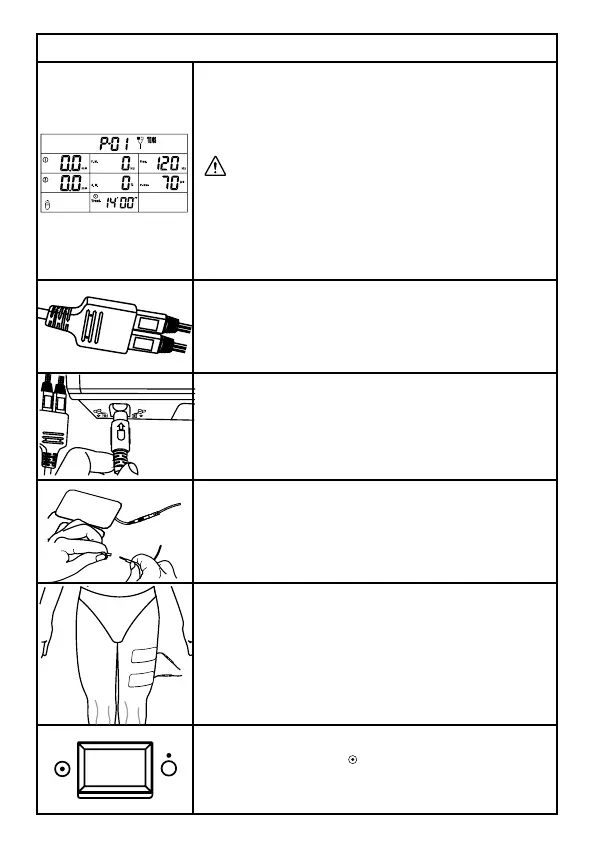
1. When you turn the ComboCare™ on, the
device will get down to self-check about 10
seconds, and then the default parameters
displayed are the last treatment mode.
DO NOT turn device on with patient attached
to the device as it could shock the patient
during device self-check. Connect patient
AFTER device has been turned on.
2. Connect the electrode wires to the cable;
please note the color of the wires and the
color marks on the cable, they should be
corresponding.
3. ComboCare™ has two connectors, one is
electrical stimulation connector, the other is
ultrasound connector. In this step, please plug
the electrical stimulation cable into electrical
stimulation connector.
4. Connect the electrodes to electrode wires.
5. Place the electrodes on the patient. You
will need to use at least one channel, with two
electrodes. You can also use two channels with
four electrodes as shown in the figure to the
left. Place electrodes at least 2” but no more
than 6” apart, per channel.
6. In order to turn on the device, please press
ON/OFF switch to [
] icon which is located on
the side of the device.



 To Next Page