EasyManua.ls Logo

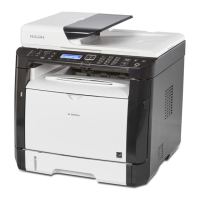
Ricoh Aficio SP 1200SF - User Manual

Ricoh Aficio SP 1200SF
36 pages
Print Icon
To Next Page IconTo Next Page
Loading...
STEP 1
STEP 2
Setup is Complete!
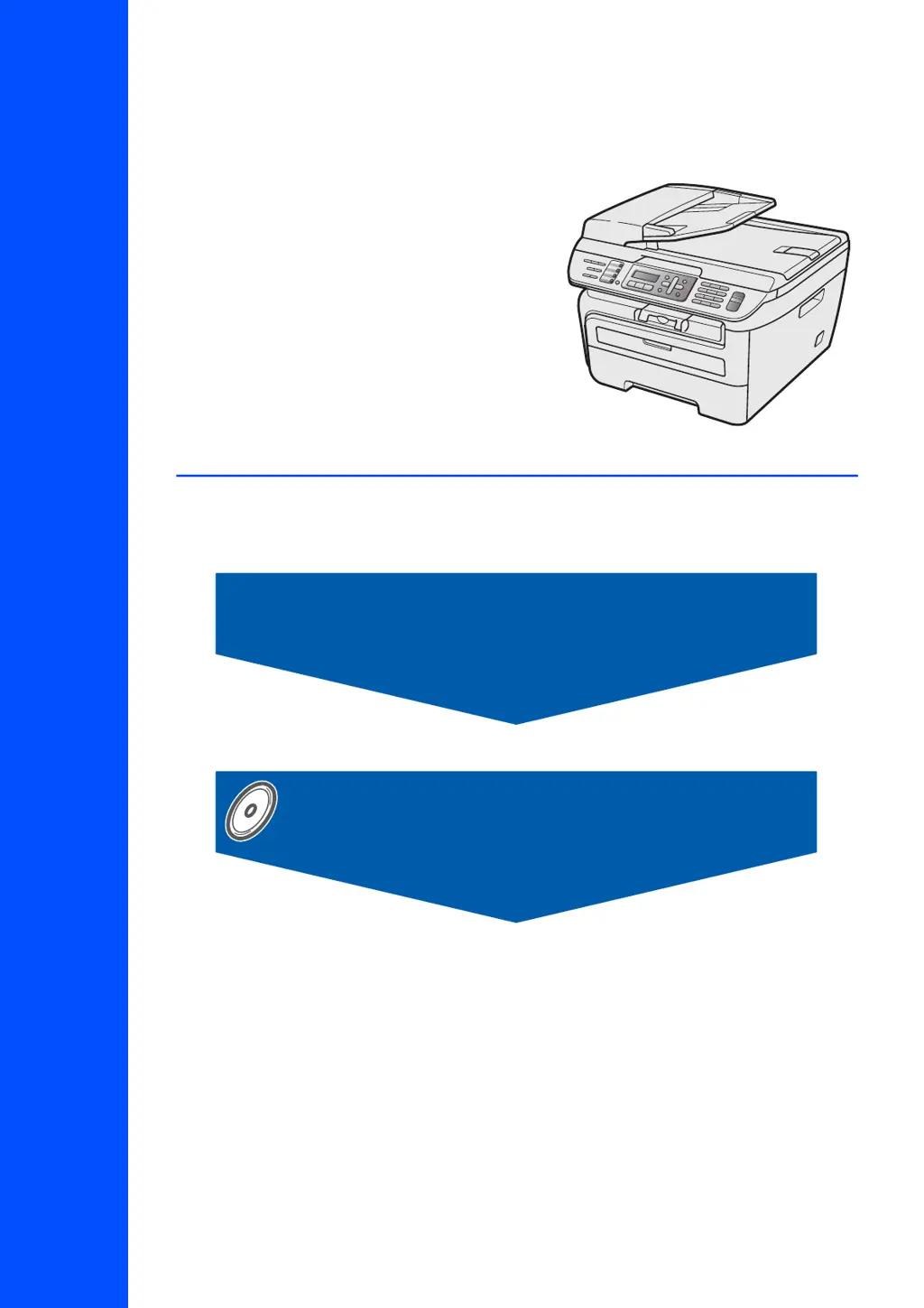
Quick Setup Guide
Installing the Driver & Software
Setting Up the Machine
SP 1200SF
Before you can use the machine, you must set up the hardware and install the driver. Please read
this ‘Quick Setup Guide’ for proper set up and installation instructions.
Keep this ‘Quick Setup Guide’ and the supplied CD-ROM in a convenient place for quick and easy
reference at all times.

Table of Contents

Other manuals for Ricoh Aficio SP 1200SF

Questions and Answers

  • R
    Roger StokesSep 18, 2025
    Why Ricoh All in One Printer cannot perform '2 in 1' or '4 in 1' printing?
    • K
      kaitlin77Sep 18, 2025
      If you cannot perform ‘2 in 1’ or ‘4 in 1’ printing on your Ricoh All in One Printer, ensure the paper size setting in the application and in the printer driver are the same.
  • H
    hernandezjillianAug 25, 2025
    Why Ricoh All in One Printer has no printout?
    • W
      wilsontammyAug 25, 2025
      If your Ricoh All in One Printer isn't printing, verify that it is plugged in and turned on. Also, check if the toner cartridge and drum unit are correctly installed. Ensure the interface cable is properly connected to both the printer and your computer. Confirm that the correct printer driver is installed and selected. Check the LCD for any error messages and ensure the printer is online.
  • T
    Timothy HarrisAug 25, 2025
    What to do if Ricoh Aficio SP 1200SF does not load paper?
    • R
      Rebecca OlsenAug 26, 2025
      If your Ricoh All in One Printer isn't loading paper and displays 'No Paper' or a 'Paper Jam' message, first, load a new stack of paper if the tray is empty. If there's paper, ensure it's straight. Try removing the paper, turning the stack over, and placing it back. Reduce the amount of paper in the tray.
  • C
    Charlotte MillerAug 26, 2025
    How to fix light printouts on Ricoh All in One Printer?
    • R
      Renee MontoyaAug 27, 2025
      If printouts from your Ricoh All in One Printer are too light, and this occurs when making copies or printing received faxes, turn off Toner Save mode in the machine menu settings. You can also disable Toner Save mode in the Advanced tab of the printer driver.
  • D
    David GibsonSep 18, 2025
    What to do if Ricoh All in One Printer does not print from Adobe Illustrator?
    • M
      matthew88Sep 18, 2025
      If your Ricoh All in One Printer doesn't print from Adobe Illustrator, try reducing the print resolution.
  • K
    Kaitlyn KelleySep 23, 2025
    How to fix 'ABCDEFGH abcdefghijk A B C D abcde 0 1 2 3 4 Toner specks' issue on Ricoh Aficio SP 1200SF?
    • A
      Adam MaySep 23, 2025
      To solve the 'ABCDEFGH abcdefghijk A B C D abcde 0 1 2 3 4 Toner specks' issue on your Ricoh All in One Printer, make sure that you use paper that meets our specifications.
  • L
    Lisa JacksonSep 9, 2025
    What to do if Ricoh All in One Printer 'hears' a voice as a CNG Tone?
    • L
      Lucas MosleySep 9, 2025
      If your Ricoh All in One Printer 'hears' a voice as a CNG Tone, and Fax Detect is on, the machine is more sensitive to sounds. Deactivate the machine by pressing Stop/Exit. You can also try turning Fax Detect off.
  • F
    Felicia BerrySep 10, 2025
    Which paper can I use in Ricoh Aficio SP 1200SF All in One Printer?
    • S
      Shannon RyanSep 12, 2025
      You can use plain paper, recycled paper, transparency and labels that are made for laser machines in Ricoh All in One Printer.
  • J
    Jennifer TorresSep 3, 2025
    How to remove a line across the page on Ricoh Aficio SP 1200SF?
    • N
      Nicholas LangSep 3, 2025
      To remove a line across the page from your Ricoh All in One Printer, clean the laser scanner window and the corona wire inside the drum unit.
  • L
    Lisa Cline DDSSep 1, 2025
    How to fix faint printouts on Ricoh Aficio SP 1200SF All in One Printer?
    • D
      doylemoniqueSep 1, 2025
      Faint printouts from your Ricoh All in One Printer can be caused by environmental conditions like humidity or high temperatures. Check the machine’s environment.

Ricoh Aficio SP 1200SF Specifications

Power IconPower
power source120V, 60Hz
power consumption operating320W
power consumption sleep mode10W
Engine Specifications IconEngine Specifications
print/copy speed23 ppm/cpm (Letter)
warm-up timeLess than 18 seconds
document feedingStandard 35-sheet Automatic Document Feeder (ADF)
Printer Specifications IconPrinter Specifications
cpuARM946E 192MHz
interfaceUSB 2.0 Full Speed
ram memory32 MB/32 MB (Std./Max.)
Copier Specifications IconCopier Specifications
multi-copy speed23 copies-per-minute
first copy speedLess than 15 seconds
copy resolution600 x 600 dpi (Max.)
Scanner Specifications IconScanner Specifications
optical scan resolution platen600 x 2400 dpi max.
optical scan resolution adf600 x 600 dpi max.
interpolated scan resolution19, 200 x 19, 200 dpi
Facsimile Specifications IconFacsimile Specifications
compatibilitySuper G3
modem speed33.6 Kbps
transmission speed2 seconds
Weight and Dimensions IconWeight and Dimensions
dimensions16.9" x 15.6" x 12.0" (428 mm x 397 mm x 305 mm)
weight with toner/drum24.5 lbs. (11.1 kg)
weight without toner/drum22.0 lbs. (10.0 kg)

Related product manuals