Sensors
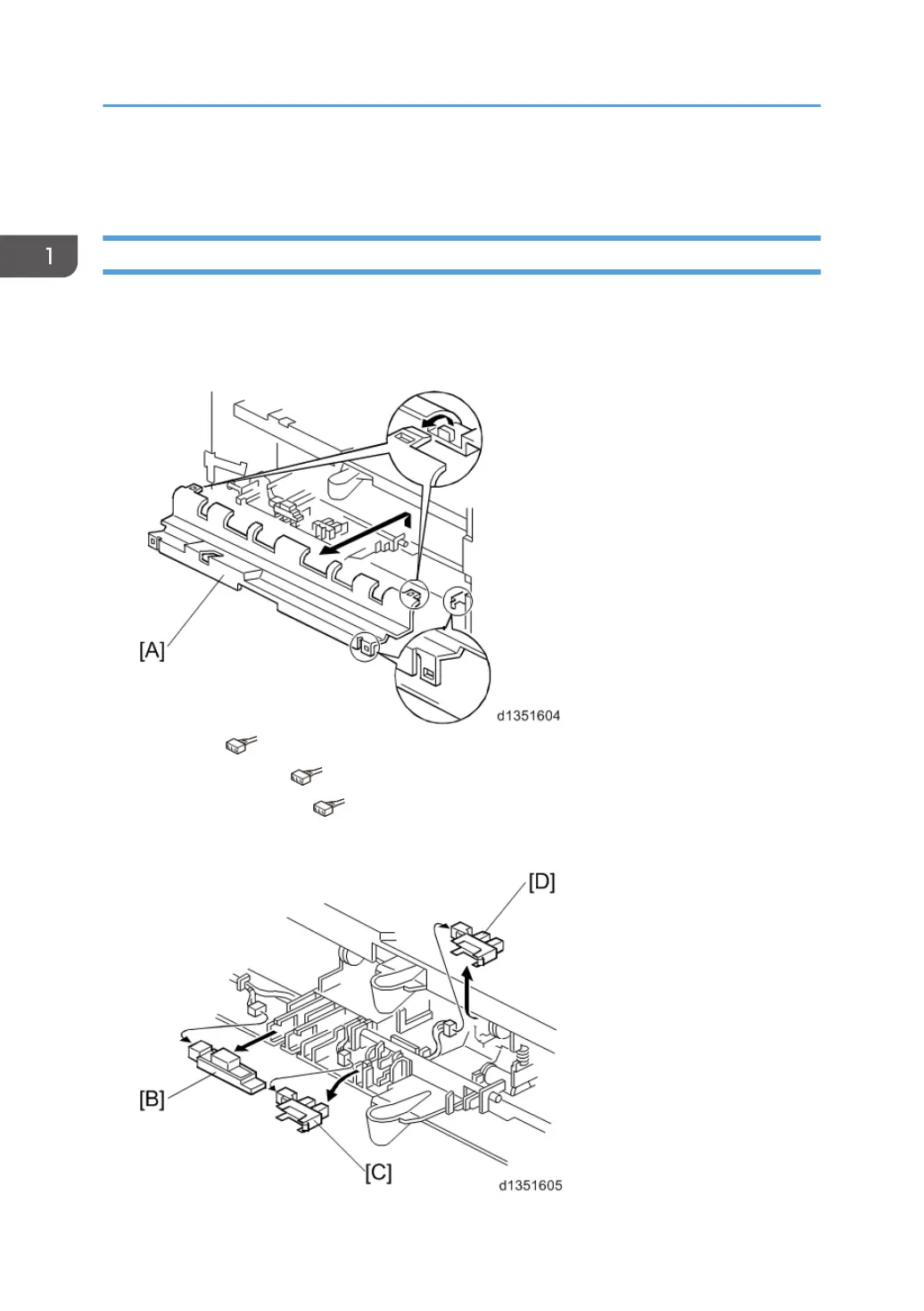
Tray sensor, Tray overflow sensor, Vertical transport sensor
1. Switch the machine off and unplug the machine
2.
Remove the tray.
3. Bin cover [A]
4. Tray sensor ( x 1) [B]
5.
Tray overflow sensor (
x 1) [C]
6.
Vertical transport sensor (
x 1) [D]
Raise the pawl, then grip the bottom of the sensor to remove.
1. Replacement and Adjustment
12



 To Next Page