Electrical Components
337
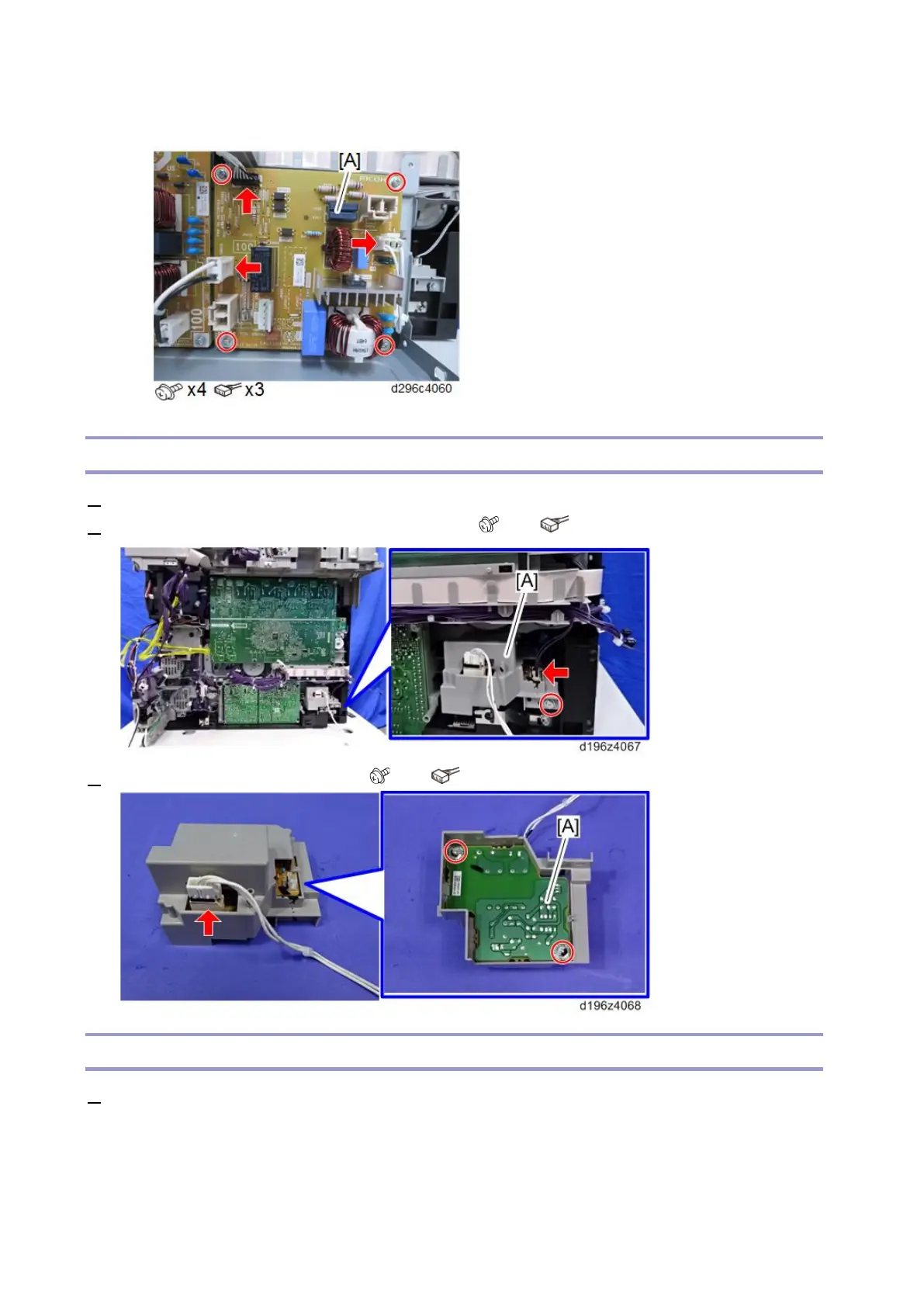
• For removing the PSU (AC) alone, remove the PSU (AC) [A].
AC Detection Board
1. Remove the PSU with the bracket. (PSU (AC), PSU (DC))
2. Remove the AC detection board with the bracket [A]. ( × 1, × 1)
3. Remove the AC detection board [A]. ( × 2, × 1)
Power Pack (Development)
1. Remove the PSU with the bracket. (PSU (AC), PSU (DC))



 To Next Page