2. Audio cable
3. Press the [VGA] button on the remote control.
To select an appropriate audio source, see page 30 "Sound Menu" for details.
• The audio cable is not supplied and should be purchased separately.
Connecting the Digital Inputs
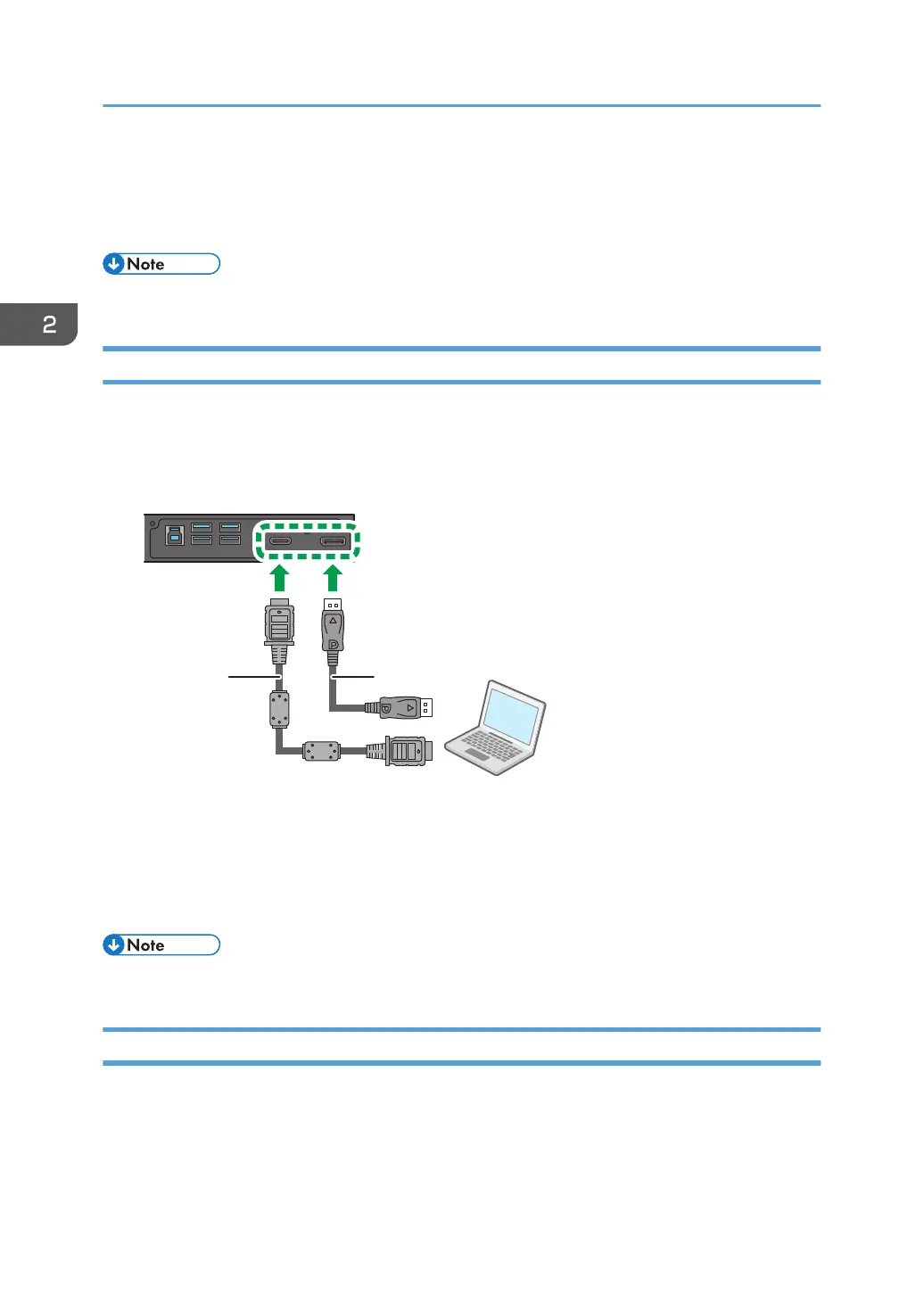
1. Use the supplied HDMI cable to connect the HDMI output jack of a computer or A/V
device (such as a VCR or DVD player) to the HDMI Input jack on the machine. If the device
has a DisplayPort output jack, connect it to the DisplayPort Input jack on the machine
using a DisplayPort cable.
1. Supplied HDMI cable
2. DisplayPort cable
2. Press the [HDMI] or [DP] button on the remote control.
To select an appropriate audio source, see page 30 "Sound Menu" for details.
• The DisplayPort cable is not supplied and should be purchased separately.
Connecting External Speakers
The built-in amplifier on the machine allows you to output audio signals through external speakers.
2. Connection
14



 To Next Page