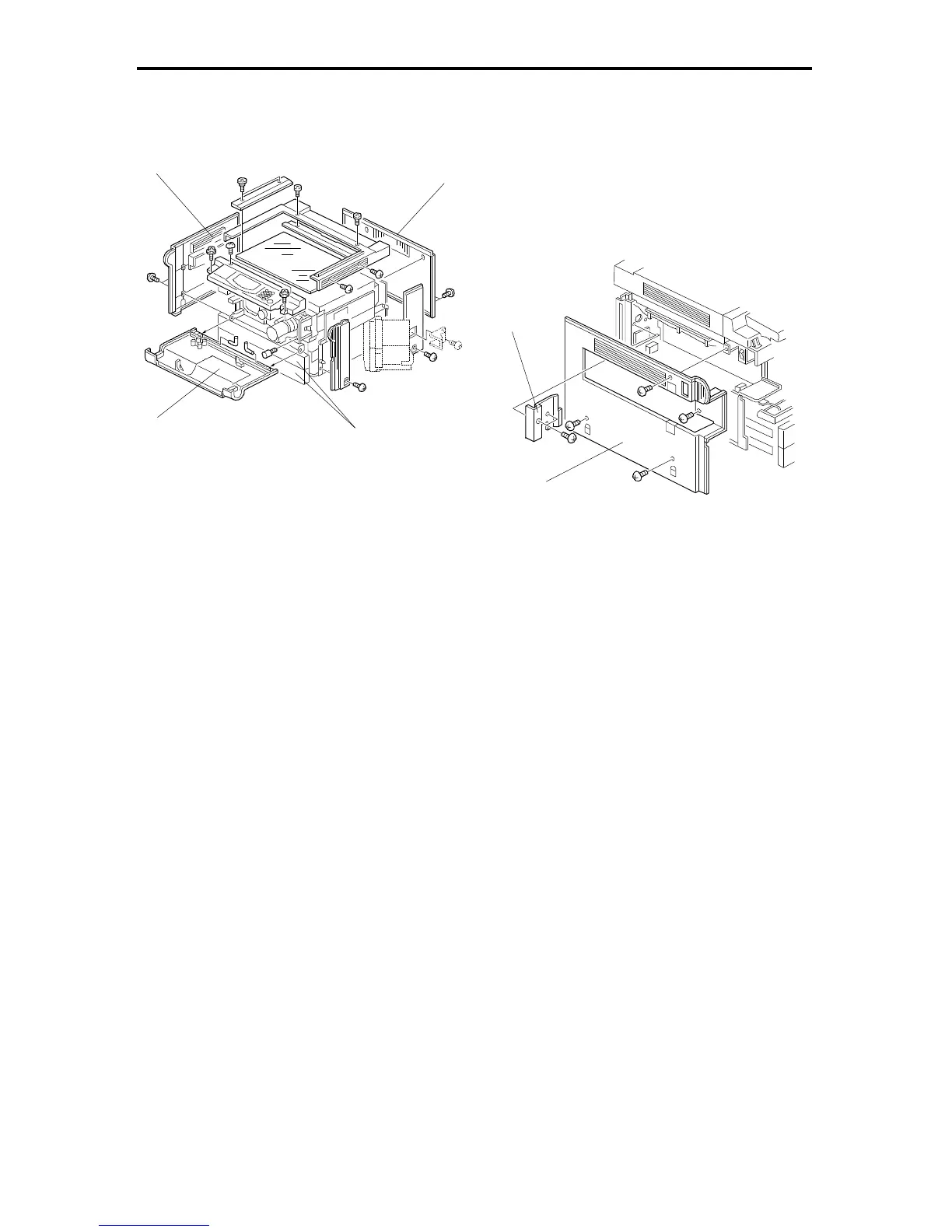
1. INNER AND OUTER COVERS
1.1 OUTER COVER REMOVAL
1.1.1 Front Cover
1. Open the front cover [A].
2. Remove the front cover (2 pins).
1.1.2 Rear Cover
1. Loosen the 2 grounding screws for the upper holes.
2. Remove the rear cover [B] (2 screws).
1.1.3 Left Cover
- A153/A155/A156 -
1. Open the front cover and pull out the paper trays [C].
2. Remove the left cover [D] (2 screws).
- A157/A159/A160 -
1. Open the front cover and pull out the paper trays.
2. Remove the cover plate [E] (2 screws).
3. Remove the left cover [F] (4 screws).
[E]
[B]
[C]
[A]
[D]
FSM 5-1 FT5535/4527/4522













 To Next Page